



Description
Your Ultimate All-in-One Digital Wedding Dashboard
Planning your dream wedding should be an exciting and memorable journey, not a source of stress. Meet the Wedding Planner and Organizer a modern, comprehensive, and intuitive digital dashboard built to simplify every step of your wedding preparation.
Whether you are managing a tight budget, organizing an extensive guest list, or tracking vendor payments, this powerful wedding organizer ensures that no detail is overlooked.
Why You Need a Digital Wedding Planner and Organizer
Traditional paper planners can be easy to lose and hard to update on the go. Our digital Wedding Planner and Organizer brings all your wedding management tools into one single, accessible platform. Built with a sleek charcoal and gold modern aesthetic, it offers an intuitive experience for couples who want total control over their big day without clutter.
Key Features of the Wedding Planner and Organizer
1. Live Countdown & Personal Dashboard
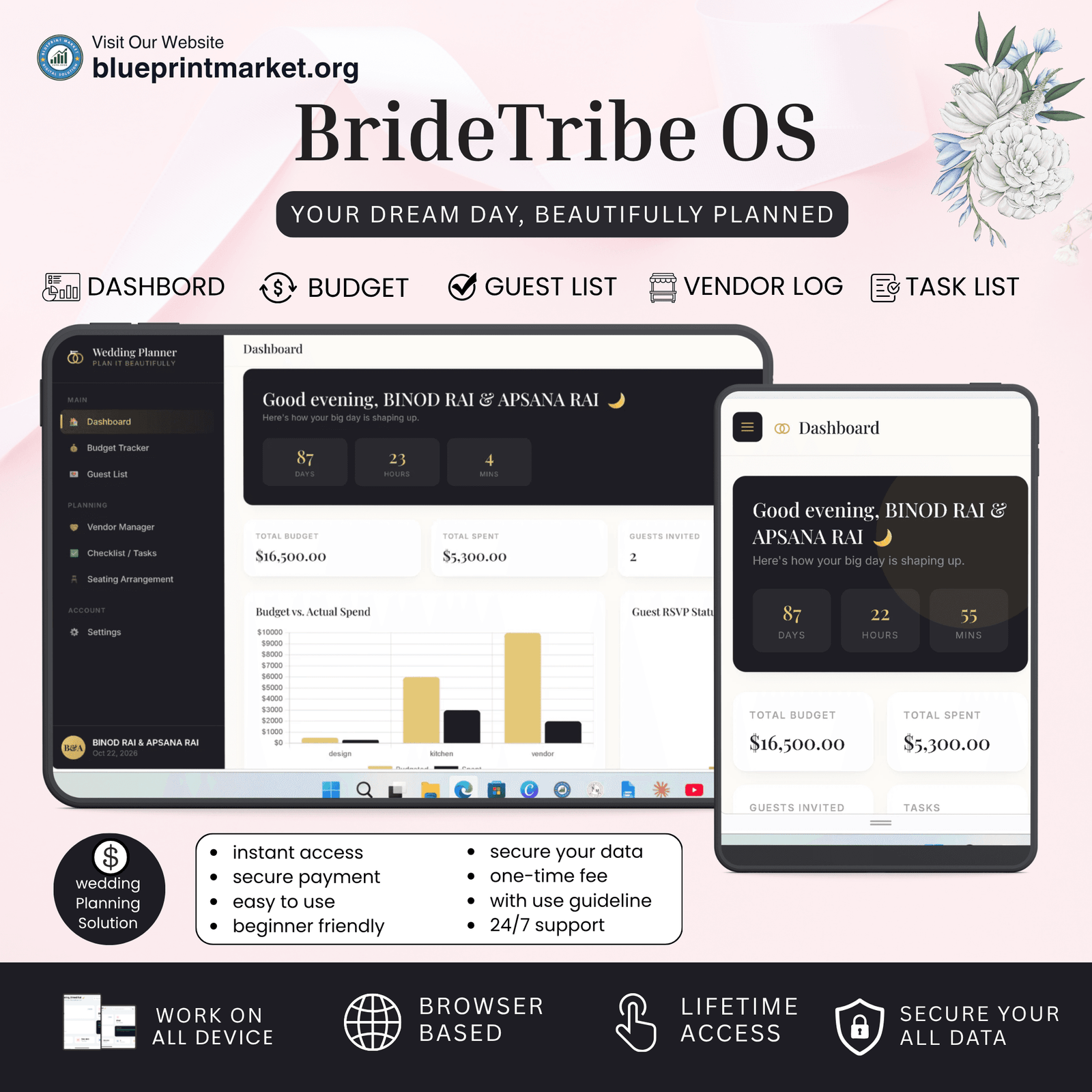
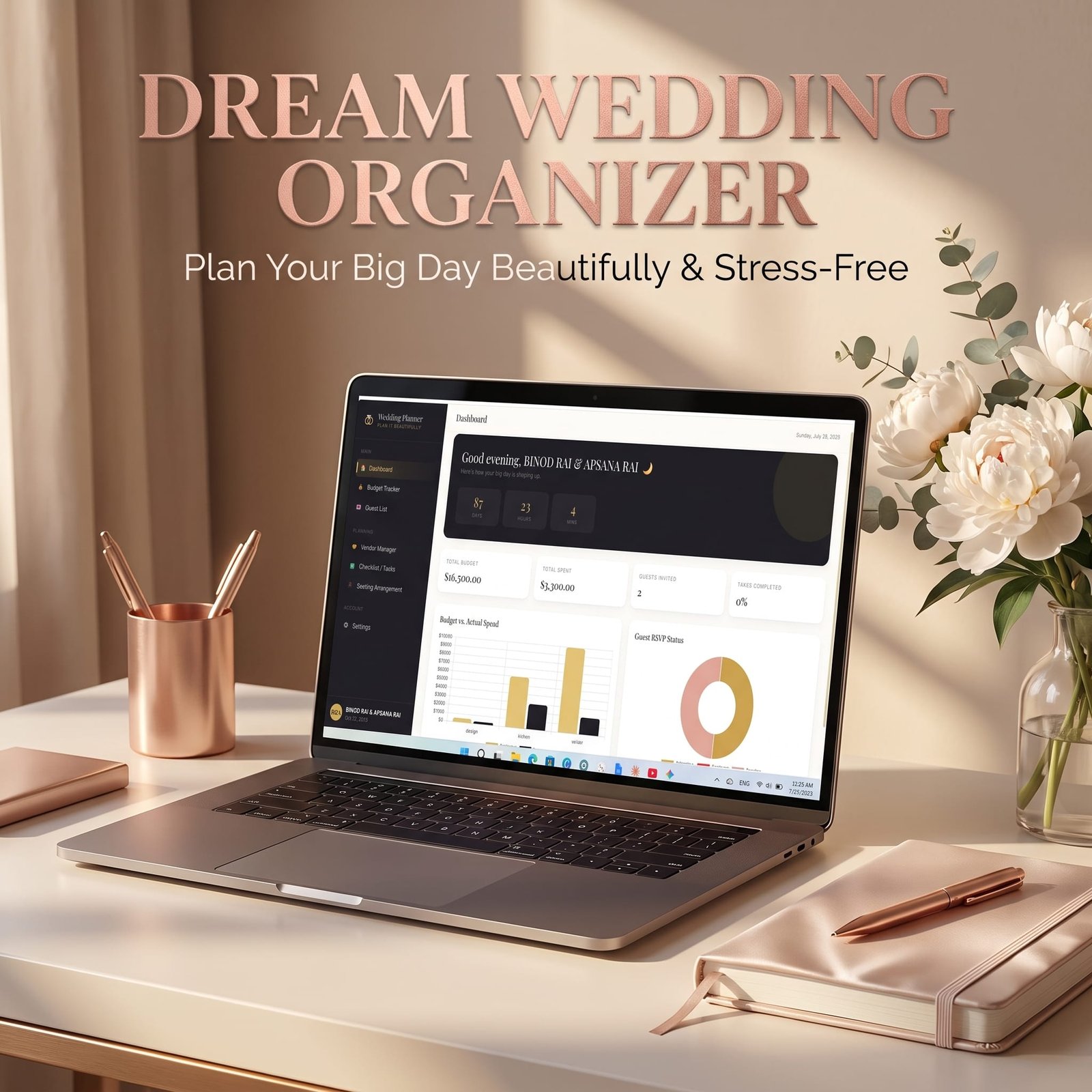
Stay excited and on schedule with an automated live wedding countdown timer. Set your wedding date and bride & groom profiles to receive custom greetings and instantly view high-level summaries of your total budget, spendings, guest counts, and task completion percentage.
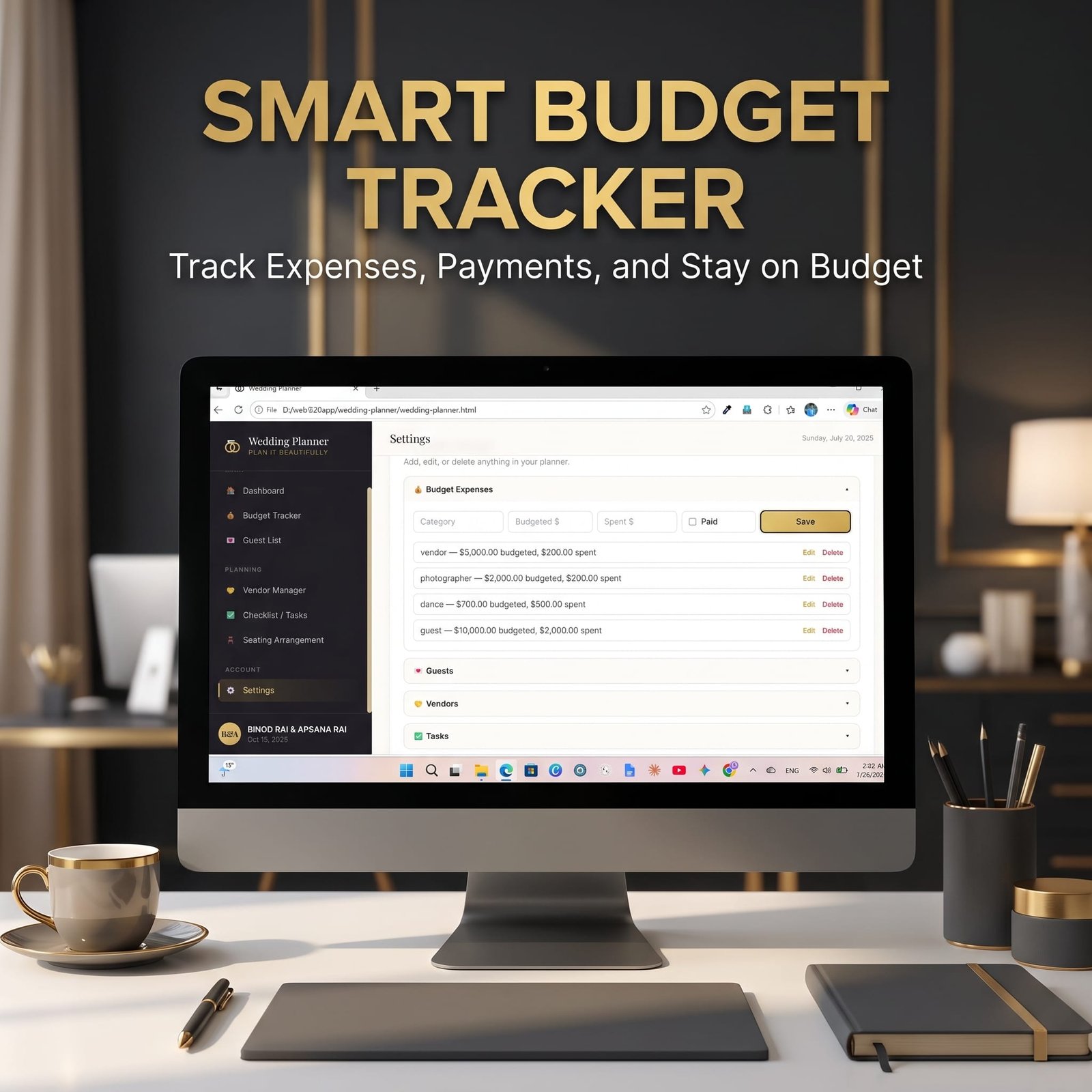
2. Comprehensive Budget Tracker
Keeping your finances in check is essential. The integrated budget tracker in this Wedding Planner and Organizer lets you:
Categorize all wedding expenses (Venue, Catering, Photography, Attire, etc.).
Compare budgeted amounts against actual spendings in real-time.
View visual bar charts comparing planned budget vs. real spending.
Mark individual expense items as Paid or Unpaid to keep cash flow crystal clear.
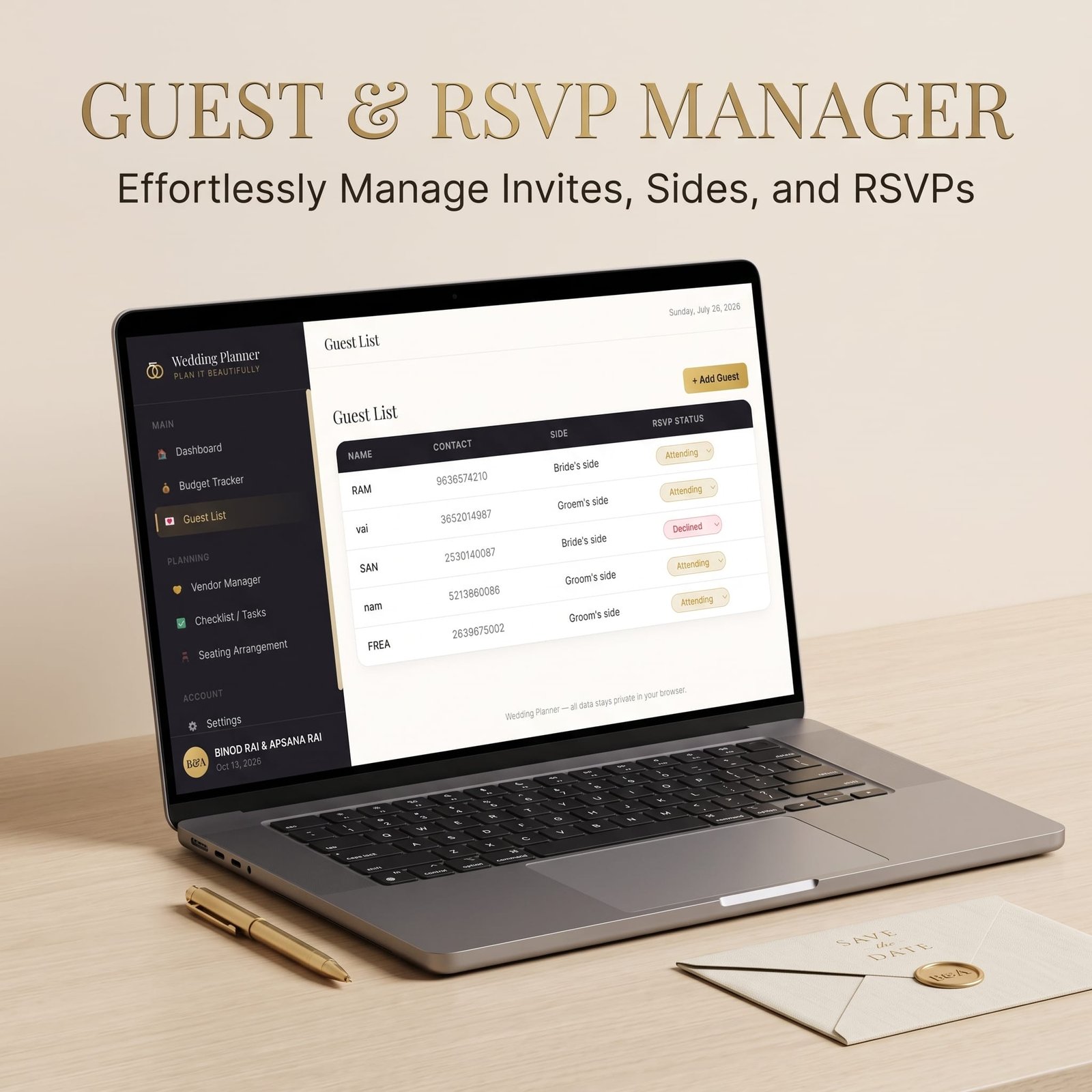
3. Guest List & RSVP Management
Managing guest responses is quick and easy. With our dedicated Guest List module, you can:
Add and edit guest details, including contact numbers and party affiliations (Bride’s side or Groom’s side).
Track live RSVP statuses (Attending, Pending, or Declined).
View dynamic doughnut charts for a quick visual representation of your total headcounts.
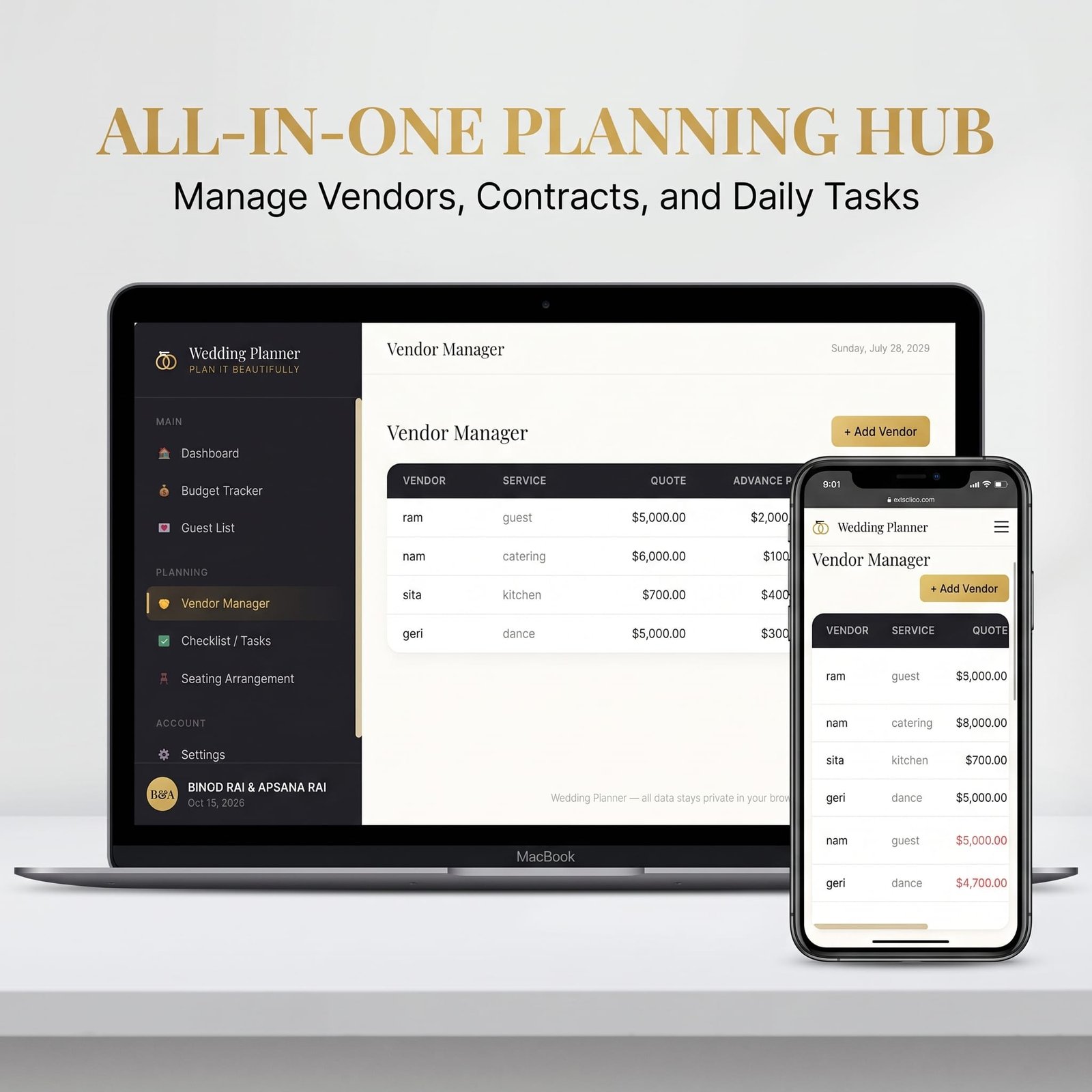
4. Vendor Manager & Payment Hub
Keep all vendor contracts, quotes, and deposits organized in one central place.
Record quotes and advances paid to photographers, florists, caterers, and decorators.
Automatically calculate remaining balance dues so you never miss a payment deadline.
5. Interactive Checklist & Task Manager
Stay on top of every milestone before saying “I Do.”
Add customizable wedding tasks and to-do lists.
Cross off completed items and watch your overall preparation progress percentage update in real-time.
6. Smart Seating Arrangement Tool
Designing your reception seating layout has never been easier.
Create custom tables with specified seating capacities.
Assign individual guests from your guest list to specific seats at each table.
Re-organize or adjust seating plans instantly as RSVPs come in.
Designed for Privacy, Simplicity, and Performance
100% Private & Browser-Based: Your personal data, budget numbers, and contact details stay completely private in your local browser storage.
Responsive & Mobile-Friendly: Easily access and manage your planner from desktop computers, tablets, or smartphones.
Instant Data Reset: Want to start fresh or test out different scenarios? The built in Reset Hub lets you clear data safely at any time.
Simplify Your Wedding Planning Today!
Don’t let endless spreadsheets and loose notes overwhelm your wedding experience. Invest in the Wedding Planner and Organizer today and enjoy a beautifully structured, stress-free path to your special day!
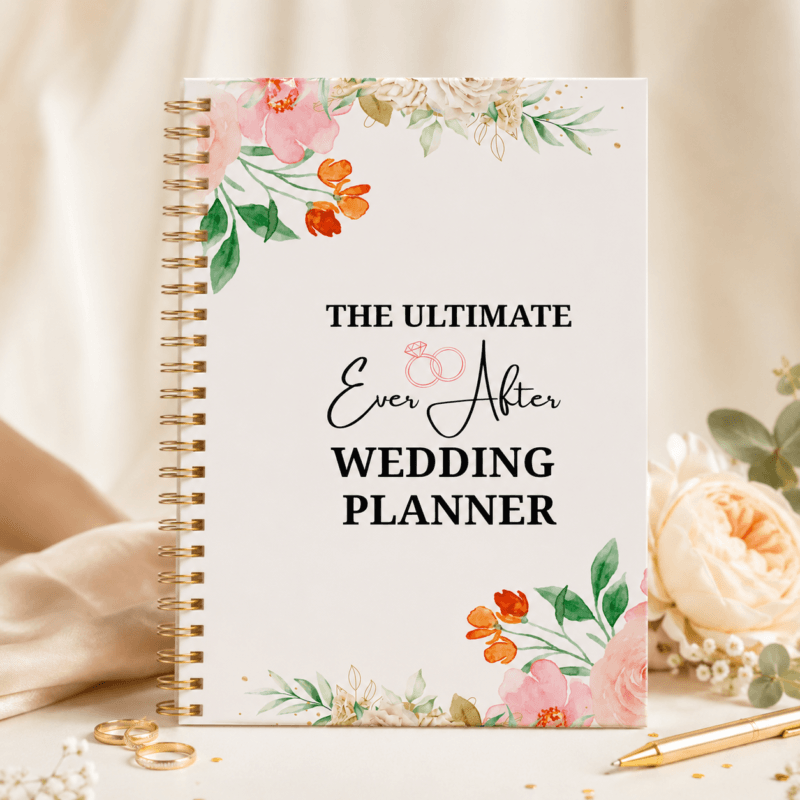
Love physical binders or want printable paper sheets to write on? Check out The Ultimate Ever After Wedding Planner – our editable Canva template! Perfect for printing at home or using as a physical bridal binder alongside your Bride Tribe OS web app.
🔗 [Get the Printable Wedding Planner Canva Template Here]
[You want to watch guideline video? click here]
License Terms:
1.STANDARD LICENSE (Personal Use Only)
Who can use this?
Individuals purchasing for their own personal organization and planning.
Allowed (What you CAN do):
- Use this planner for your own personal daily planning, organization, and life management.
- Download and install on your personal devices (Tablet, iPad, Phone, PC).
- Print unlimited copies for your personal use only.
Not Allowed (What you CANNOT do):
❌ Share, send, or email the original files or links to friends, family, or anyone else.
❌ Use this planner for any commercial, business, or client-related projects.
❌ Resell, sub-license, redistribute, or give away the original or edited files for free or paid.
2.COMMERCIAL LICENSE (Business & Client Projects)
Who can use this?
Freelancers, small business owners, agencies, and content creators.
Allowed (What you CAN do):
- Use this product for your business operations and internal workflow.
- Use this product to create completed end-projects for up to 50 Clients / Projects.
- Modify, customize, and brand the planner to fit your client’s needs.
Not Allowed (What you CANNOT do):
❌ Resell, share, or redistribute the planner files in their original editable format.
❌ Sell this product as a standalone planner on digital platforms (Etsy, website, market places).
❌ Claim original ownership or copyright of the source files.
- EXTENDED LICENSE (Unlimited Commercial & Resell Usage)
Who can use this?
Agencies, large businesses, and digital product sellers looking for maximum freedom.
Allowed (What you CAN do):
- Use this planner for unlimited personal, business, and client projects.
- Customize, re-brand, edit, and combine this product with other elements.
- Sell the modified final product (End Product) to end-users on your website or online store.
Not Allowed (What you CANNOT do):
❌ Resell or distribute the source files as-is without making significant additions or modifications.
❌ Trademark or copyright the original design elements provided in this pack.
Frequently ask Question
What essential wedding planning features are included in this organizer?
Can multiple people (like the bride, groom, or wedding planner) collaborate using this digital organizer?
Is this wedding organizer designed for both large weddings and intimate micro-weddings?
How far in advance of the wedding date should I start using this planner?
How does this organizer help prevent overspending on a wedding budget?
Can I customize vendor categories, checklists, and timelines to match my specific wedding culture or theme?
📌 Important Guide: Data Safety & Cross-Device Syncing
Our web planners use your browser’s Local Storage to keep your daily entries fast, responsive, and completely private without requiring any accounts or passwords.
⚠️ Key Points to Remember:
No Auto-Sync: Data saved on your mobile browser will not automatically sync to your computer/laptop.
Cache Clearance Alert: Clearing browser history, cookies, or site cache will permanently erase your saved progress. Always export/download a backup of your data BEFORE clearing your browser cache or history!
Incognito Mode: Avoid using private/incognito windows if you want to store progress long-term.
📱 How to Transfer Data from Mobile to Computer (or vice versa):
Export: Open the planner on your phone, click “Export Data” (or Backup) to download you. Json backup file.
Transfer: Send this downloaded file to your computer via Email, WhatsApp, or Google Drive.
Import: Open the planner on your desktop browser, click “Import Data”, choose the file, and your entries will restore instantly!
💡 Tip: Make it a habit to export regular backups using the built-in feature to keep your progress safe at all times!
Related Products:
- Journey Base: Ultimate Travel Planner Single Page Mini Web App
- Gilded: Digital Weight Loss Planner Tool & Fitness Tracker
- Scholer OS: The Ultimate Student Planner Web App Tool
✔ Verified Internal Resource



Reviews
There are no reviews yet.