



Description
Social Media Content Planner for Smarter Content Management
Managing social media content across multiple platforms can quickly become overwhelming. This Social Media Content Planner gives you a structured workspace to plan your content, organize upcoming posts, manage ideas and assets, create posting routines, and monitor your social media performance from one dashboard.
Designed for creators, small businesses, marketers, freelancers, and social media managers, this planner helps you keep your content workflow organized without having to manage everything across multiple spreadsheets or scattered notes.
The app supports Facebook, Instagram, LinkedIn, Pinterest, YouTube, and TikTok, allowing you to organize content for multiple platforms in one place.
Plan Your Social Media Content
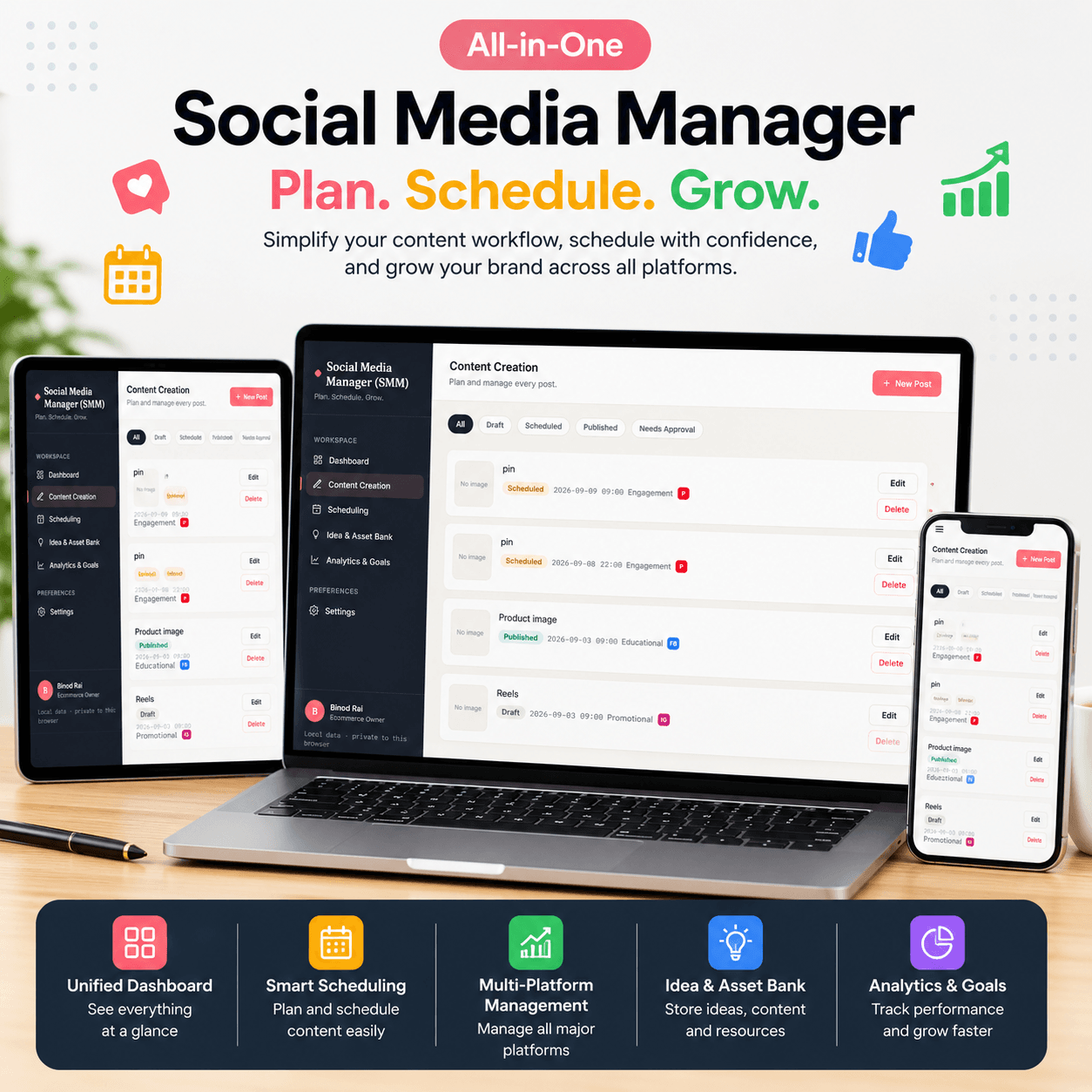
Create and manage your social media posts with dedicated fields for:
- Multiple social media platforms
- Caption or text content
- Media asset URL or image link
- Media preview
- Content pillar/category
- Post status
- Publishing date
- Publishing time
- Hashtag groups
- Custom hashtags
You can save, edit, and delete your posts whenever you need to update your content plan.
Organize Your Content Calendar
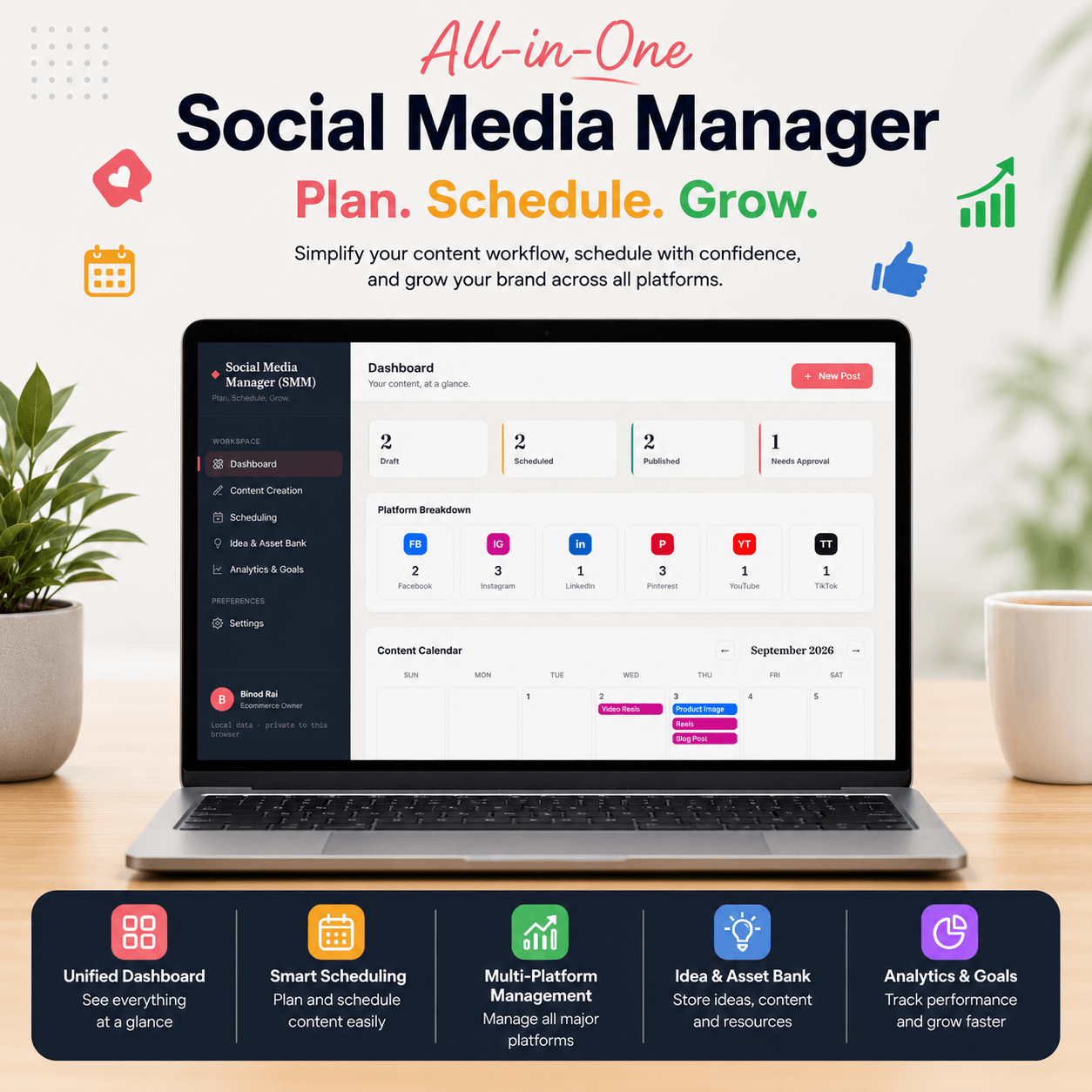
Keep your publishing schedule organized with a monthly content calendar. Your planned posts are displayed directly on the calendar, making it easier to see what content is scheduled and when.
The dashboard also gives you an overview of your content status, including:
- Draft
- Scheduled
- Published
- Needs Approval
This makes the planner useful for both solo creators and people managing an organized content workflow.
Social Media Scheduling Planner
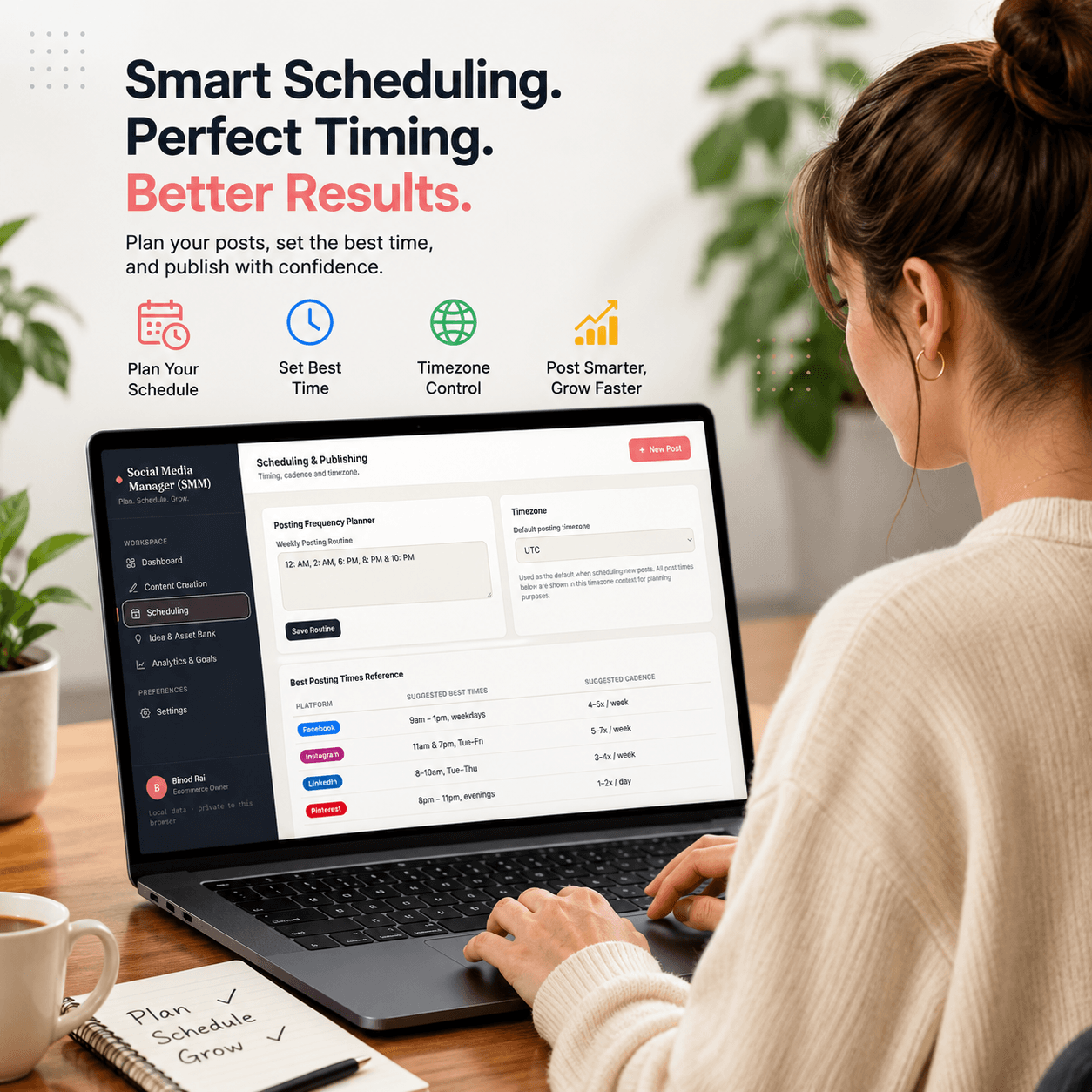
Create your own posting routine and select your preferred time zone. The app also includes suggested posting times and posting frequencies for supported social media platforms to help you build a consistent content schedule.
You can also view your upcoming scheduled posts in one place.
Important: This planner organizes and schedules your content plan; it does not claim to automatically publish posts directly to social media platforms.
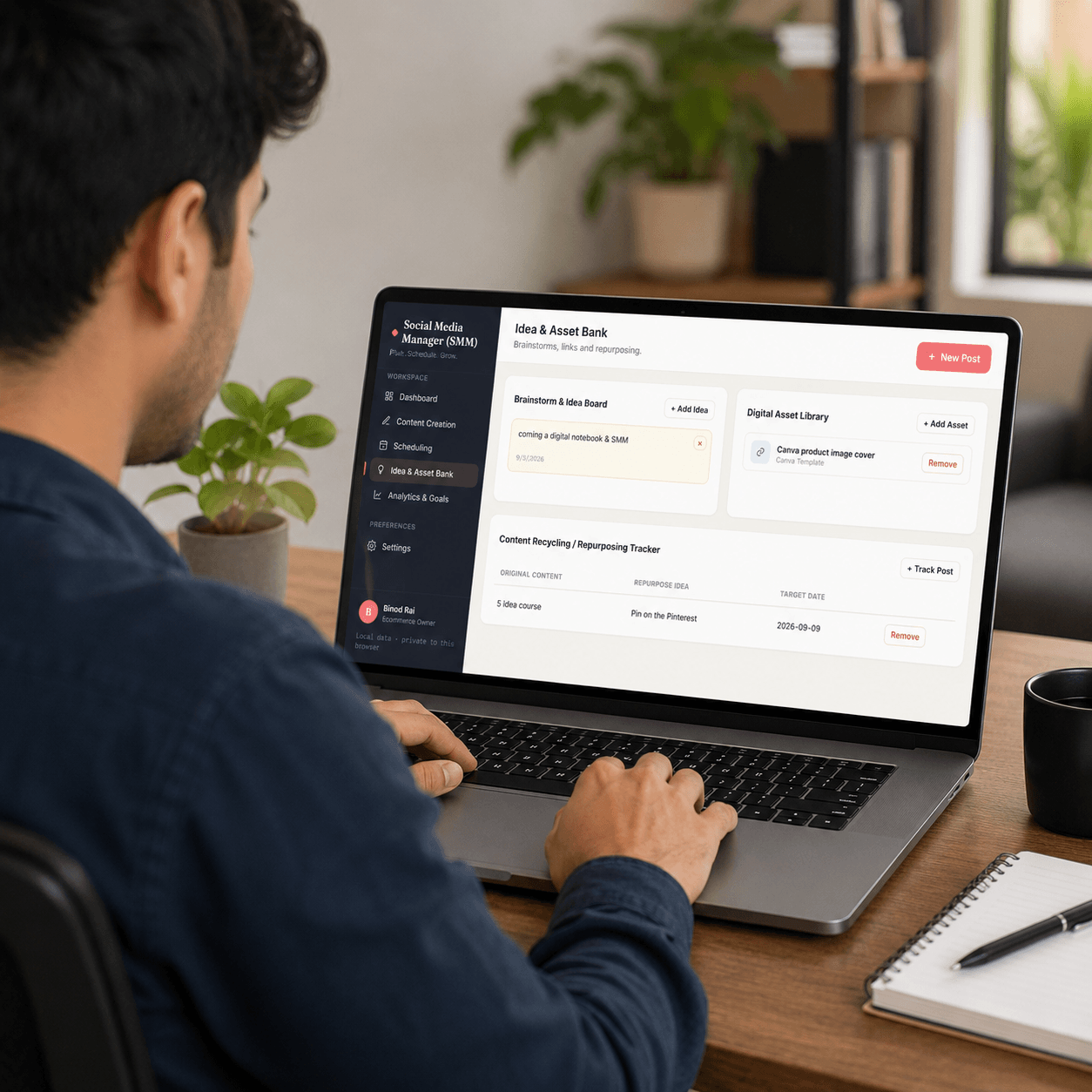
Idea & Asset Bank
Never lose a content idea again.
The built-in Idea & Asset Bank lets you save content ideas, notes, and useful assets that you may want to use in future posts.
You can organize assets using categories such as:
- Canva Template
- Drive Link
- Media File
- Other
The planner also includes a Repurposed Content Tracker, where you can record original content, repurpose ideas, and target dates.
Social Media Analytics & Goals
Set measurable goals for:
- Followers
- Reach
- Engagement
- Clicks
You can manually record post-performance using views, likes, shares, clicks, platform, date, and post reference.
The planner calculates engagement performance and displays progress toward your selected goals, giving you a simple way to monitor your content strategy.
Hashtag Management
Create and manage hashtag groups so you can keep frequently used hashtags organized and easily reference them when planning your posts.
This can help reduce repetitive manual work when creating content for different campaigns or content categories.
Data Export & Import
Your planning data can be managed directly from the app.
Available data-management options include:
- JSON data export
- JSON data import
- CSV export of posts
- Browser print/PDF-style output
- Reset locally stored data
Your planner data is stored locally in your browser using local storage.
Key Features
- Social media content planning dashboard
- Monthly social media content calendar
- Multi-platform content planning
- Facebook content planning
- Instagram content planning
- LinkedIn content planning
- Pinterest content planning
- YouTube content planning
- TikTok content planning
- Post creation and editing
- Draft, Scheduled, Published & Needs Approval statuses
- Content pillar organization
- Hashtag group management
- Media asset URL management
- Content idea bank
- Asset library
- Content repurposing tracker
- Custom posting routines
- Time zone settings
- Suggested posting times and frequencies
- Upcoming scheduled posts
- Followers, Reach, Engagement & Click goals
- Manual social media performance tracking
- Engagement calculation
- JSON import/export
- CSV post export
- Browser print/PDF-style output
- Local browser data storage
Who Is This Social Media Content Planner For?
This social media planning tool is suitable for:
- Social media managers
- Content creators
- Bloggers
- Freelancers
- Small businesses
- Digital marketers
- Entrepreneurs
- Personal brands
- Online business owners
- Marketing teams
Whether you manage one brand or plan content across several social platforms, this planner gives you a centralized place to organize your content workflow.
Why Use a Social Media Content Planner?
A consistent content strategy starts with organization.
Instead of keeping content ideas in one place, hashtags somewhere else, posting dates in a spreadsheet, and performance numbers in another document, you can bring your planning workflow together inside one content planning dashboard.
Use it to:
- Plan content ahead of time
- Organize your monthly content calendar
- Keep track of post status
- Store content ideas
- Manage media assets
- Organize hashtags
- Plan content repurposing
- Create posting routines
- Set social media goals
- Track post-performance
Platforms Supported
This Social Media Content Planner supports content planning for:
Facebook • Instagram • LinkedIn • Pinterest • YouTube • TikTok
“Want to monetize your social media channels? Pair this planner with our popular Passive Income Ideas E-book to launch and scale your online business!”
License Terms:
1.STANDARD LICENSE (Personal Use Only)
Who can use this?
Individuals purchasing for their own personal organization and planning.
Allowed (What you CAN do):
- Use this planner for your own personal daily planning, organization, and life management.
- Download and install on your personal devices (Tablet, iPad, Phone, PC).
- Print unlimited copies for your personal use only.
Not Allowed (What you CANNOT do):
- Share, send, or email the original files or links to friends, family, or anyone else.
- Use this planner for any commercial, business, or client-related projects.
- Resell, sub-license, redistribute, or give away the original or edited files for free or paid.
2.COMMERCIAL LICENSE (Business & Client Projects)
Who can use this?
Freelancers, small business owners, agencies, and content creators.
Allowed (What you CAN do):
- Use this product for your business operations and internal workflow.
- Use this product to create completed end-projects for up to 50 Clients / Projects.
- Modify, customize, and brand the planner to fit your client’s needs.
Not Allowed (What you CANNOT do):
- Resell, share, or redistribute the planner files in their original editable format.
- Sell this product as a standalone planner on digital platforms (Etsy, website, marketplaces).
- Claim original ownership or copyright of the source files.
- EXTENDED LICENSE (Unlimited Commercial & Resell Usage)
Who can use this?
Agencies, large businesses, and digital product sellers looking for maximum freedom.
Allowed (What you CAN do):
- Use this planner for unlimited personal, business, and client projects.
- Customize, re-brand, edit, and combine this product with other elements.
- Sell the modified final product (End Product) to end-users on your website or online store.
Not Allowed (What you CANNOT do):
- Resell or distribute the source files as-is without making significant additions or modifications.
- Trademark or copyright the original design elements provided in this pack.
(Click here and read user guidelines)
Important Guide: Data Safety & Cross-Device Syncing
Our web planners use your browser’s Local Storage to keep your daily entries fast, responsive, and completely private without requiring any accounts or passwords.
Key Points to Remember:
- No Auto-Sync: Data saved on your mobile browser will not automatically sync to your computer/laptop.
- Cache Clearance Alert: Clearing browser history, cookies, or site cache will permanently erase your saved progress. Always export/download a backup of your data BEFORE clearing your browser cache or history!
- Incognito Mode: Avoid using private/incognito windows if you want to store progress long-term.
How to Transfer Data from Mobile to Computer (or vice versa):
- Export: Open the planner on your phone, click “Export Data” (or Backup) to download you. Json backup file.
- Transfer: Send this downloaded file to your computer via Email, WhatsApp, or Google Drive.
- Import: Open the planner on your desktop browser, click “Import Data”, choose the file, and your entries will restore instantly!
Tip: Make it a habit to export regular backups using the built-in feature to keep your progress safe at all times.
“Want to learn how to build a winning strategy around this tool? Read our complete [Social Media Plan Guide] to maximize your results.”



Reviews
There are no reviews yet.