Planning social media content sounds easy. Until you actually have to do it. You sit down to create a post and suddenly realize you don’t have an idea. Then you check your notes. Nothing useful. You open Instagram for inspiration, start scrolling, and before you know it, half an hour is gone. Sound familiar? A social media content planner can make that process much easier.
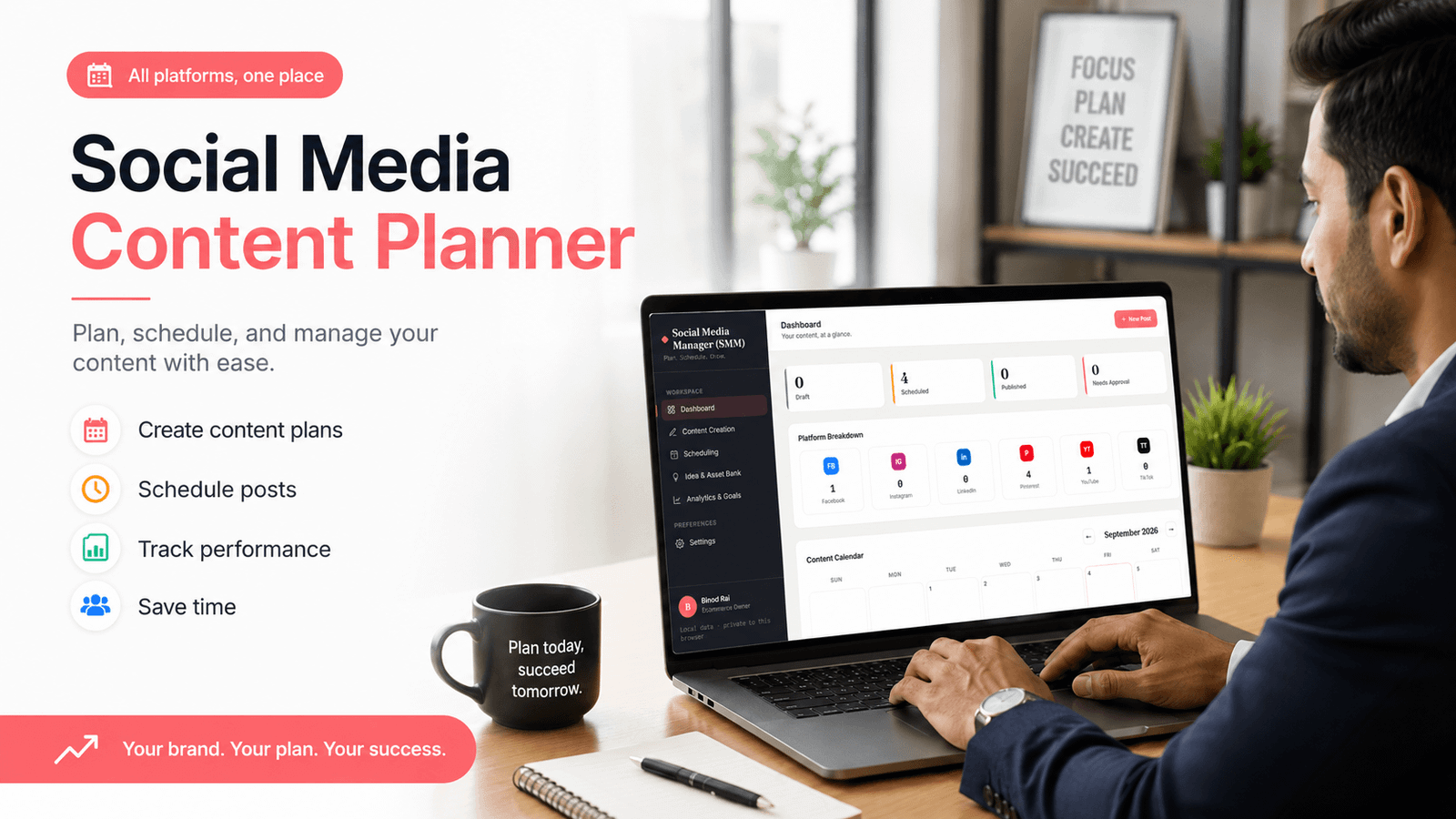
Instead of figuring out what to post every day, you can plan your content in advance, organize your ideas, choose publishing dates, and keep track of everything you’ve already posted. And if you’re managing more than one social media platform, having everything in one place becomes even more useful.
In this guide, you’ll learn what a social media content planner is, what to include in one, how to create a social media content plan, and how a dedicated social media management tool can simplify the entire process.
What Is a Social Media Content Planner?
A social media content planner is a tool or system that helps you plan, organize, schedule, and manage the content you want to publish on social media.
It can be a spreadsheet. It can be a simple template. Or it can be a dedicated social media management app. The format doesn’t matter as much as the workflow.
The goal is to stop creating every post at the last minute. With a social media content planner, you can keep important information about your posts together, including:
- Content ideas
- Content topics
- Social media platforms
- Post types
- Captions
- Publishing dates
- Publishing times
- Content status
- Campaign information
- Content links
- Notes and performance
For example, imagine you have an idea for an Instagram Reel today. You don’t need to publish it today. Add the idea to your planner, write a short description, choose a publishing date, and come back to it when you’re ready. That small change can make your entire content workflow feel more organized.
Why Do You Need a Social Media Content Planner?
Posting consistently is one of those things that sounds much easier than it actually is. You need content ideas. Then you need captions, images, videos, publishing dates, and a way to remember what you’ve already posted.
If you manage several platforms, it gets even harder. A social media content planner gives you a clear place to manage all of this.
Stay Consistent With Your Content
Consistency becomes easier when you can see your upcoming content before you need to publish it. Instead of wondering what to post every morning, you already have a plan.
You can look at the week ahead and immediately see which days have content scheduled and which ones are still empty. No guessing.
Save Time
Planning content in batches can save a lot of time. For example, you might spend one afternoon planning the next week’s posts instead of making a new decision every single day.
Once the ideas and dates are organized, you can focus on creating the actual content. That’s much more efficient.
Avoid Last-Minute Posting
We’ve all been there. You remember that you need to post something, but it’s already late in the day. Now you’re trying to come up with an idea, write a caption, find an image, and publish everything at once.
The result usually isn’t your best work. A social media content planner gives you breathing room. You can prepare content ahead of time and avoid that daily rush.
Manage Multiple Social Media Platforms
Managing one platform is relatively simple. Managing Instagram, Facebook, TikTok, LinkedIn, Pinterest, and other platforms at the same time is a different story.
A content planner lets you see your publishing schedule in one place. You know what you’re posting, where it’s going, and when it’s supposed to be published.
Create a Better Content Strategy
A social media planner isn’t just about keeping track of dates. It can also help you understand your overall content strategy.
When you see your posts together, you may notice that you’re publishing too much promotional content. Maybe you’re not sharing enough educational posts. Or perhaps you’re talking about the same topic over and over.
Those patterns are much harder to notice when your content is scattered across different apps.
What Should You Include in a Social Media Content Planner?
A good social media content planner doesn’t need to be complicated. Start with the information you actually need.
1. Content Topic or Idea
What is the post about? It could be as simple as:
- Product tutorial
- Customer testimonial
- Behind-the-scenes video
- Weekly tip
- Industry news
- New product announcement
You don’t need a finished caption at this stage. Just capture the idea before you forget it.
2. Social Media Platform
Record where the content will be published. Common platforms include:
- TikTok
This is particularly useful when you’re repurposing the same idea for multiple platforms.
3. Content Type
What format will you use? For example:
- Image
- Reel
- Video
- Story
- Carousel
- Text post
Keeping track of this also helps you avoid creating the same type of content every time.
4. Caption and Copy
Add the caption or copy for each post. You can include hashtags, mentions, links, and calls to action too. It doesn’t have to be perfect on the first draft.
Get the idea down first. Polish it later.
5. Publishing Date and Time
This is what turns a list of ideas into a real content schedule. Choose when each post should go live. You can plan a few days ahead, a week ahead, or even an entire month.
6. Content Status
A status column can save you from a lot of confusion. Useful labels include:
- Idea
- Draft
- Ready
- Scheduled
- Published
Now you can immediately tell which posts still need attention.
7. Notes and Performance
Once a post is published, add notes about how it performed. Maybe the post received more engagement than usual. People asked questions in the comments.
The topic wasn’t as interesting as you expected. These small observations can help you make smarter content decisions later.
How to Create a Social Media Content Plan Step by Step
You don’t need a complicated marketing strategy to start. You need a process you can actually follow. Here’s a simple one.
Step 1: Define Your Social Media Goals
First, decide what you want your social media content to achieve. Your goal might be to:
- Increase brand awareness
- Generate website traffic
- Get more leads
- Increase sales
- Grow your audience
- Build trust
- Educate potential customers
Your goals will influence what you put into your social media content planner. For example, if your main goal is sales, product-focused content will probably have a larger role.
If you’re focused on audience growth, helpful and educational content may be more important.
Step 2: Choose Your Social Media Platforms
You don’t have to be everywhere. Trying to maintain five or six platforms without enough time or resources can quickly become overwhelming.
Start with the platforms where your audience is most active. Do those well first. You can always add more later.
Step 3: Identify Your Target Audience
Think about who you’re creating content for.
What problems do they have?
What questions do they ask?
Which type of content do they actually want to see?
Your audience should influence both the topics you choose and the format you use.
Step 4: Create Your Content Pillars
Content pillars are the main topics your social media content revolves around. They make brainstorming much easier.
For example, an online business might use:
- Educational content
- Product-focused content
- Promotional content
- Behind-the-scenes content
- Customer stories
- Tutorials
- Inspirational content
Once you have a few clear pillars, you don’t have to start from a blank page every time.
Step 5: Brainstorm Content Ideas
Now create a list of possible posts. Don’t worry about dates yet. Just brainstorm. Write down questions from your audience, common problems, product ideas, tutorials, tips, stories, and topics related to your industry.
Some ideas won’t make the final schedule. That’s okay. You’re building a content bank.
Step 6: Organize Your Ideas
Now move those ideas into your social media content planner. Choose a platform for each idea. Decide on the content format.
Add a status. If you’re planning a campaign, group related posts together. At this point, your random ideas start becoming an actual content plan.
Step 7: Assign Publishing Dates
Now decide when each post should be published. You can create a weekly social media content plan or plan an entire month at once. There’s no need to make this overly complicated. Choose a schedule you can realistically maintain.
Step 8: Review and Improve Your Content
Your planner shouldn’t be something you create once and forget. Review your content regularly. Look at what you’ve published.
Check what’s coming next. Then look at what performed well. Use those observations to improve your next batch of content.
Social Media Content Planner Example
Here’s a simple weekly social media content plan for a small business:
| Date | Platform | Content Idea | Content Type | Status |
|---|---|---|---|---|
| Monday | Behind-the-scenes product video | Reel | Scheduled | |
| Tuesday | 3 common industry mistakes | Text Post | Draft | |
| Wednesday | Customer testimonial | Image | Ready | |
| Thursday | New product announcement | Carousel | Idea | |
| Friday | TikTok | Quick how-to tutorial | Video | Scheduled |
| Saturday | Weekend promotion | Story | Idea |
That’s enough to get started. You don’t need a huge spreadsheet with dozens of fields. The important thing is being able to answer three basic questions:
What am I posting?
Where am I posting it?
When am I posting it?
A good social media content planner makes those answers easy to find.
Social Media Content Planner vs. Social Media Content Calendar
The terms social media content planner and social media content calendar are often used interchangeably. They’re closely related, but there is a small difference.
A social media content calendar usually focuses on the publishing schedule.
It tells you:
- What you’re posting
- Where you’re posting
- When you’re posting
A social media content planner can cover much more.
It may include:
- Content ideas
- Content pillars
- Captions
- Campaign planning
- Publishing dates
- Scheduling
- Content status
- Performance notes
- Overall content strategy
Think of it this way:
The calendar shows your schedule. The planner helps you manage the process behind that schedule. For someone managing social media regularly, having both functions together can be much more convenient.
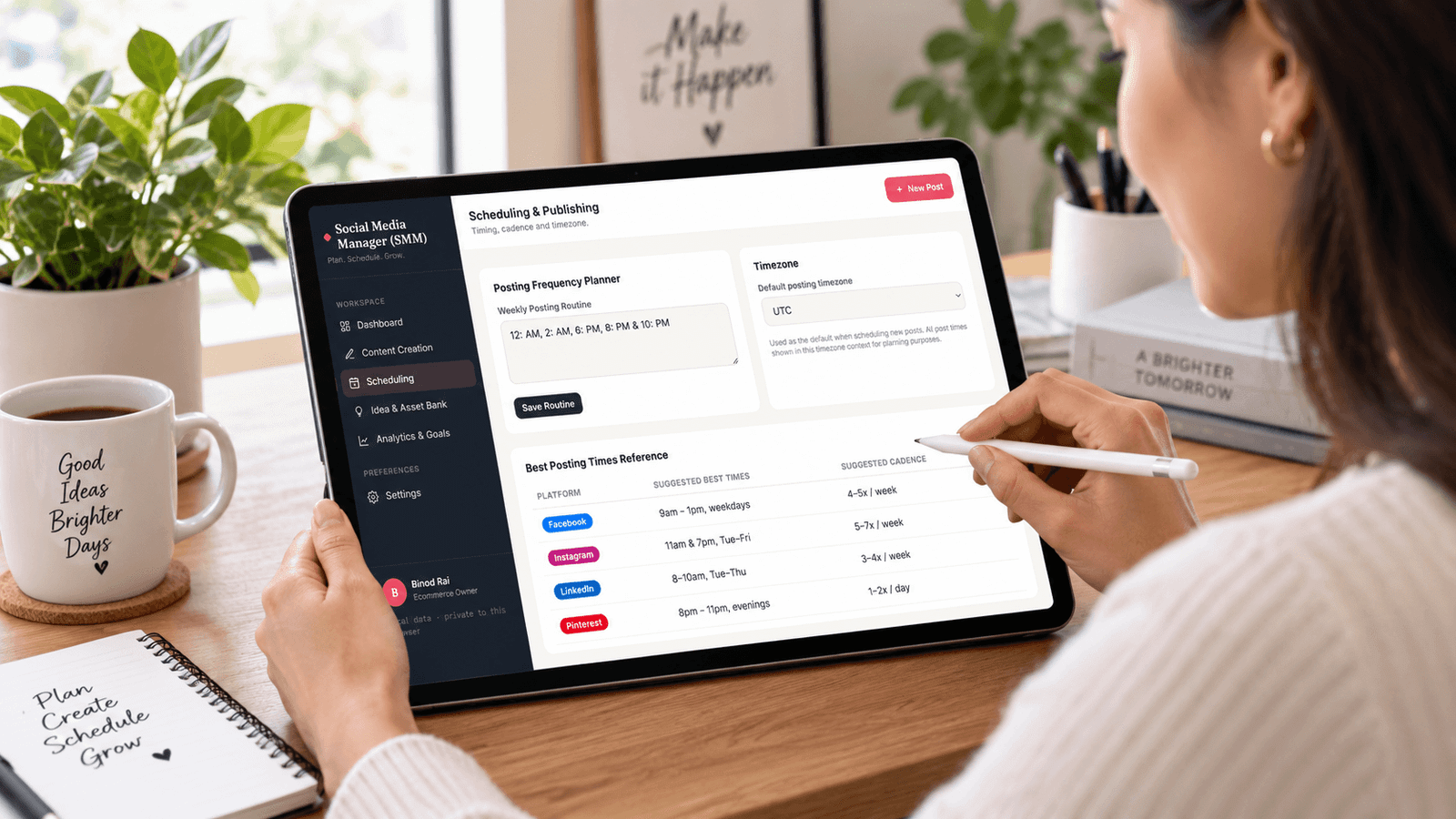
Social Media Content Planner Template vs. Social Media Management Tool
A social media content planner template can be a great starting point. You can create one in a spreadsheet, document, or printable planner.
It’s inexpensive, simple, and easy to understand. If you’re only managing a few posts each week, a template may be all you need. But things can become difficult as your social media activity grows.
Too much platforms.
More posts.
All campaigns.
More ideas to track.
Eventually, manually updating a spreadsheet can start taking more time than you’d like. That’s where a social media management tool can make a difference.
Instead of keeping your content ideas in one app, captions in another, and your publishing schedule somewhere else, you can manage your workflow from one organized workspace.
When Should You Move Beyond a Template?
A template may be enough if:
- You manage one or two platforms
- You publish only a few times each week
- You don’t need a lot of organization
- You’re comfortable updating everything manually
A dedicated tool may make more sense if:
- You’re managing several platforms
- You have lots of content ideas
- You’re planning content regularly
- You’re managing multiple campaigns
- You want your workflow organized in one place
Neither option is automatically better. It depends on what you’re managing.
Social Media Content Planner Tips for Better Results
A planner is useful, but the way you use it matters even more. Here are some simple habits that can make content planning easier.
Plan at Least One Week Ahead
You don’t need to plan six months of content. Start with one week. Having a small buffer gives you time to deal with unexpected changes without scrambling to create something.
Create Monthly Content Themes
A monthly theme can make content ideas easier to generate. For example, you might focus one month on education and tutorials, then another month on customer stories and product use cases.
It gives your content direction without making the schedule too rigid.
Balance Promotional and Educational Content
Not every post should sell something. Mix promotional content with useful information, tutorials, tips, stories, and behind-the-scenes posts.
People are more likely to keep paying attention when your content offers value.
Repurpose Your Best Content
Don’t throw away a good idea after using it once. A popular blog post could become a carousel. A video could become several short posts.
A useful tip could become an infographic. One strong idea can become multiple pieces of content.
Leave Room for Trending Content
Your social media content planner shouldn’t lock you into a schedule so tightly that you can’t react to something timely.
Leave some flexibility. If an important trend or relevant topic appears, you can adjust the schedule.
Review Your Content Regularly
Set aside a little time each week or month to review your content.
Which posts performed well?
Which ones didn’t?
What did your audience respond to?
Those answers can help shape your next content plan.
Keep Your Content in One Place
This might be the most underrated part of content planning.
Ideas in your phone.
Captions in a document.
Images in random folders.
Publishing dates in a calendar.
It gets messy.
Keeping your social media content organized in one place makes the entire process easier to manage.
How a Social Media Manager Can Simplify Content Planning
At some point, you may realize that the problem isn’t creating content.
It’s managing everything around it.
You have ideas to organize.
Posts to prepare.
Platforms to manage.
Publishing dates to remember.
And old content to keep track of.
Doing all of that across separate spreadsheets and apps can become frustrating. This is where a social media management app can help.
Instead of treating your content planner, content calendar, and social media workflow as completely separate things, you can manage them together.
A dedicated tool can help you:
- Organize social media content
- Plan posts ahead of time
- Manage content by platform
- Track post status
- Keep upcoming content organized
- Manage content ideas
- Reduce repetitive manual work
- Keep your social media workflow in one place
And that’s exactly the problem our Social Media Manager is designed to solve.
Manage Your Social Media Content in One Place
If you’re tired of switching between spreadsheets, notes, folders, and different apps just to keep your social media content organized, a dedicated workspace can make a big difference.
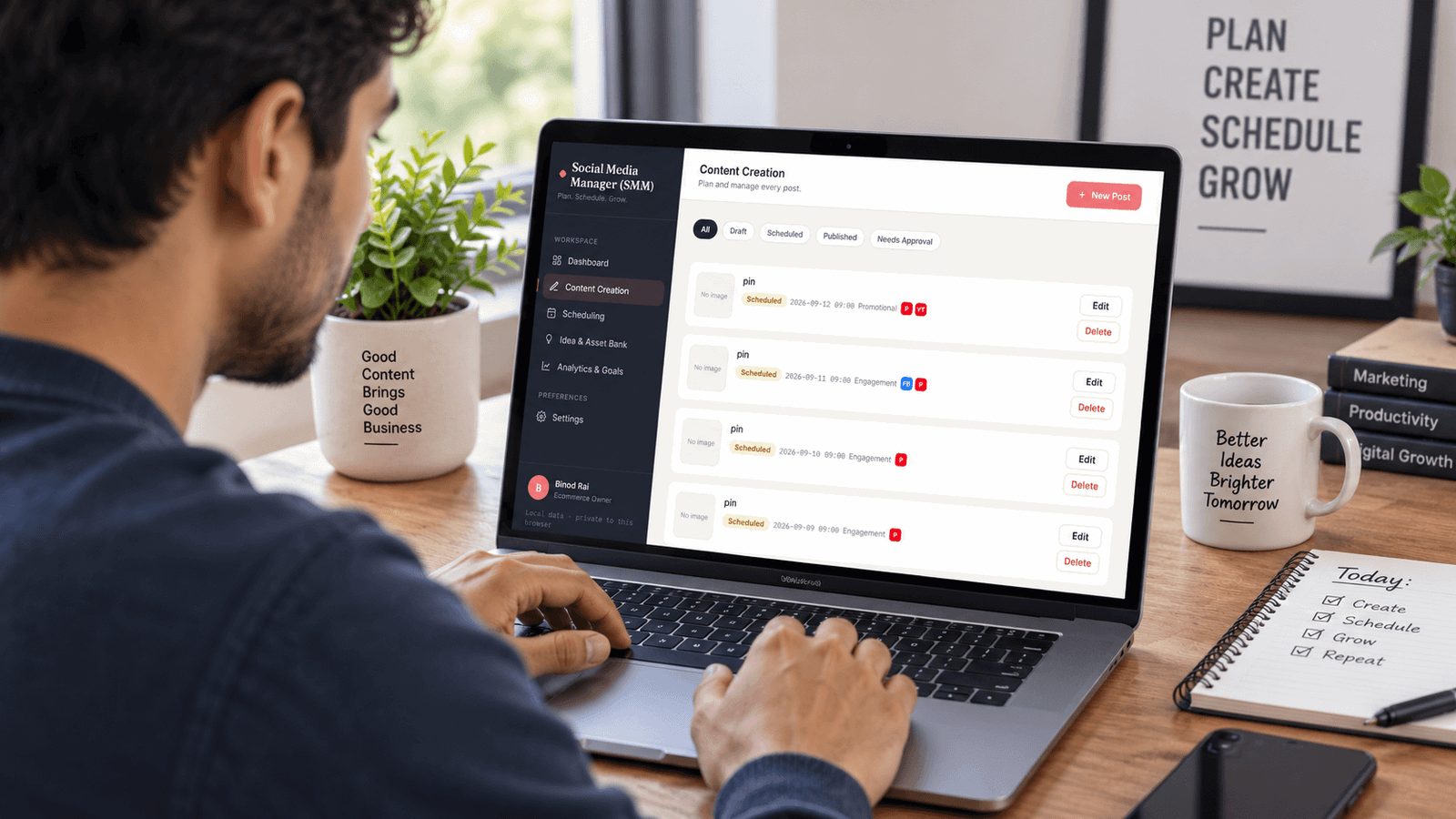
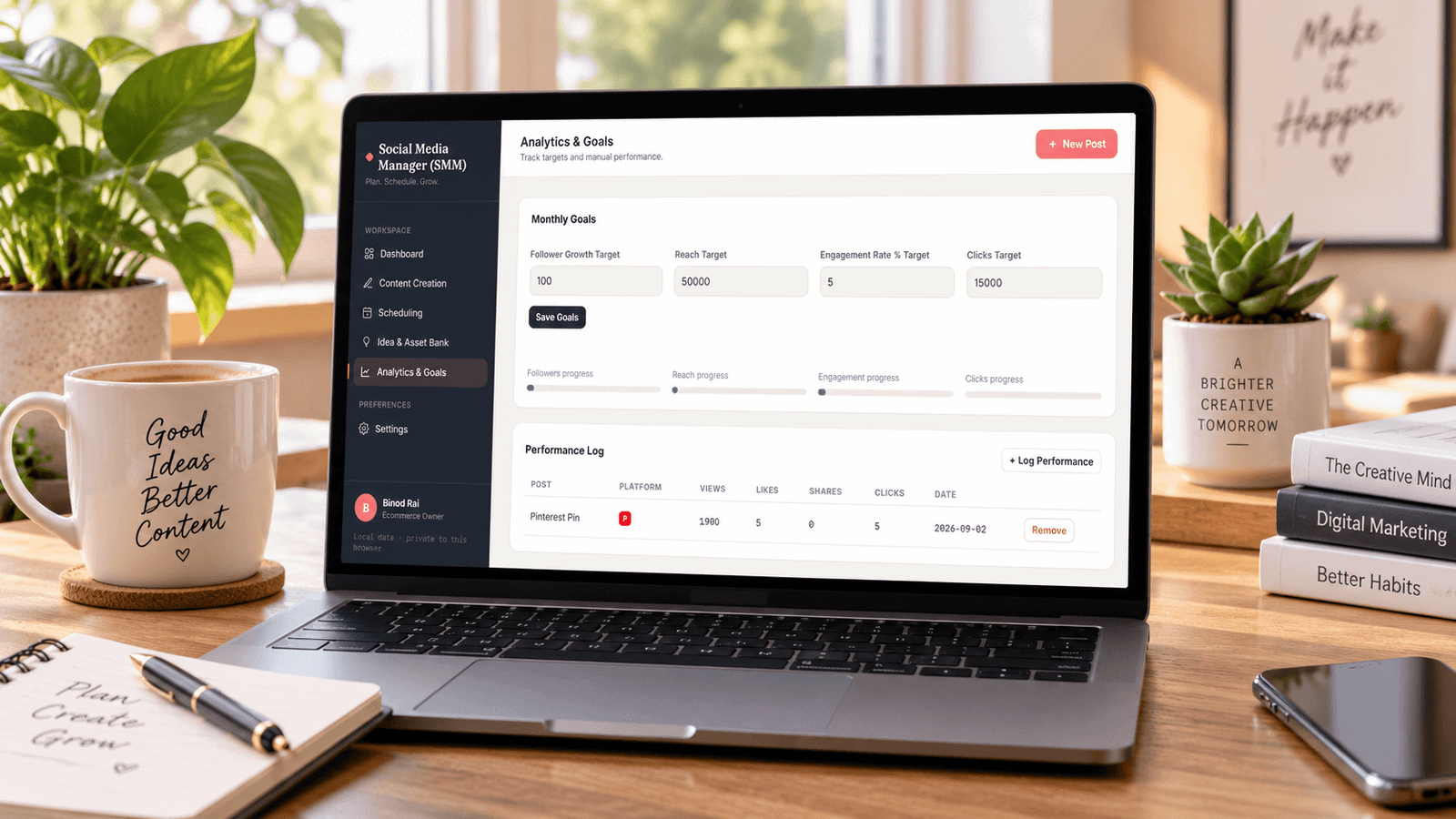
Our Social Media Manager web app gives you one place to plan, organize, and manage your social media workflow.
You can use it to keep your content organized, track your posts, manage your planning process, and stay on top of what needs to happen next.
No more hunting through old notes to find that content idea you wrote down three weeks ago. No more wondering whether a post was already planned. And no more trying to remember everything in your head.
Ready to Make Social Media Content Planning Easier?
If you want a simpler way to organize your social media content, give our Social Media Manager a try. Plan your content. Organize your workflow. Stay consistent.
[Try Our Social Media Manager]
Frequently Asked Questions
A social media content planner is a tool or system that helps you plan, organize, schedule, and manage content for your social media accounts. It can help you decide what to post, when to post, and which platform each piece of content is for.
A social media content planner helps you stay organized and avoid last-minute decisions about what to post. It also makes it easier to maintain a consistent posting schedule and manage content across multiple social media platforms.
A useful social media content planner can include the post date, platform, content idea, caption, content type, visual or media details, hashtags, publishing status, and notes. These details make it easier to manage the entire content planning process.
A social media content planner focuses on the complete planning process, including ideas, captions, platforms, and content details. A content calendar mainly organizes when content will be published. In practice, the two are often used together.
Yes. A social media content planner can be used to organize content for platforms such as Instagram, Facebook, Pinterest, LinkedIn, TikTok, and others. You can plan platform-specific content while keeping everything organized in one place.