Managing money each month does not have to feel complicated.
You do not need a complicated spreadsheet, a stack of paperwork, or an expensive budgeting app to understand where your money goes. A simple free monthly budget planner can help you organize your income, track your expenses, and see what remains at the end of the month.
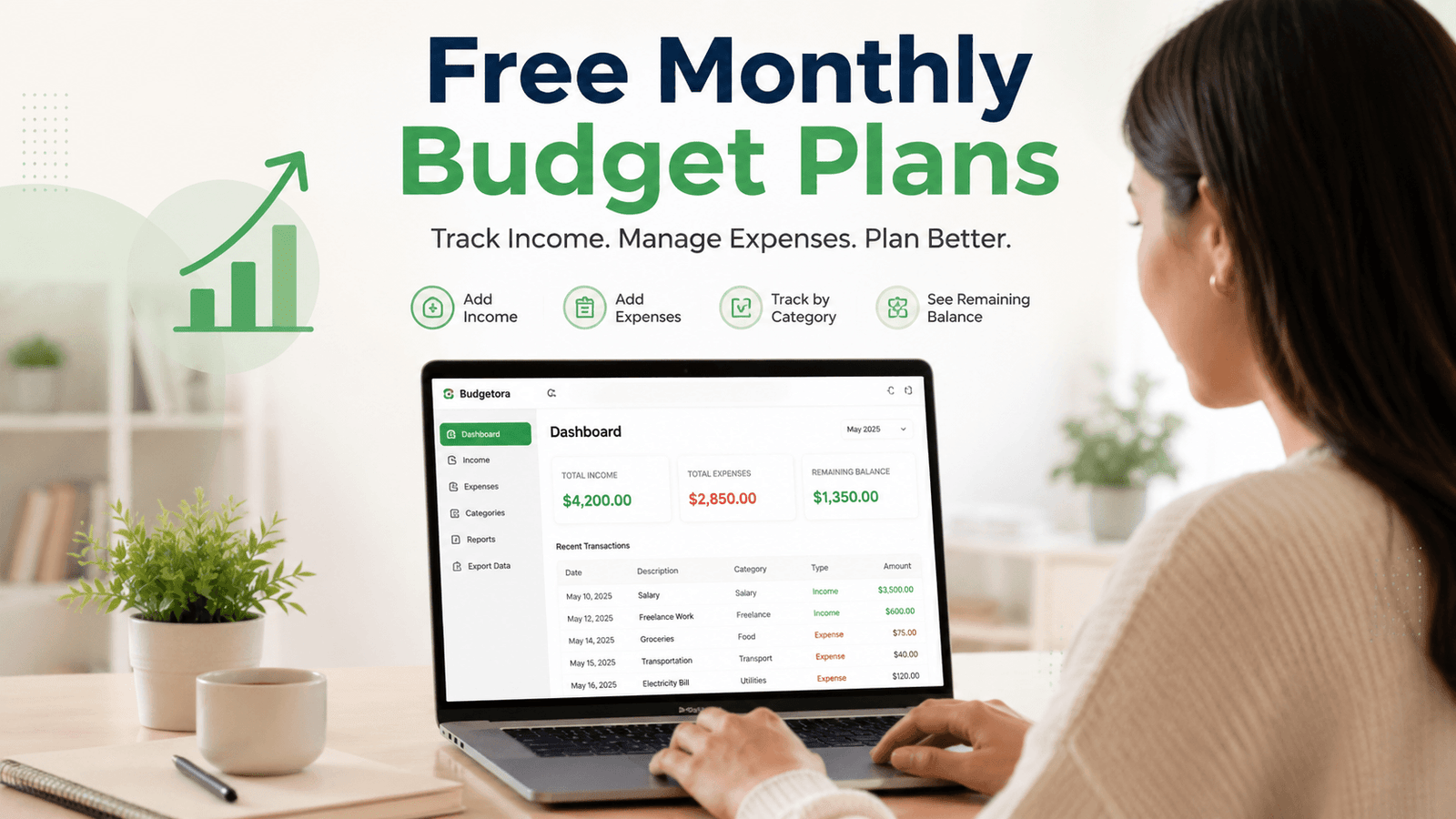
If you have ever checked your bank account and wondered, “Where did all my money go?”, you are not alone. Small purchases can add up quickly. Groceries, subscriptions, transportation, bills, shopping, takeout, and unexpected expenses can quietly reduce your available money. The solution does not have to be complicated.
Start with three numbers:
Money in → Money out → Money remaining
That simple process gives you a clearer picture of your monthly finances. And that is exactly where Budgetora can help.
What Is a Monthly Budget Planner?
A monthly budget planner is a tool that helps you organize and review your money for a specific month.
At its simplest, a monthly budget planner helps you answer three questions:
- How much money came in?
- How much money did you spend?
- How much money remains?
Instead of trying to remember your spending later, you record income and expenses as they happen.
Your income may come from:
- Salary
- Freelance work
- Business income
- Side income
- Other sources
Your expenses may include:
- Housing
- Groceries
- Transportation
- Utilities
- Shopping
- Healthcare
- Entertainment
- Subscriptions
- Other everyday purchases
Once you record these transactions, you can see your monthly money activity in one place. That visibility matters because you cannot make useful spending decisions if you do not know where your money is going.
Why Use a Free Monthly Budget Planner?
You do not need to pay for a budgeting tool to start building better money habits. A free monthly budget planner can give you a simple starting point without adding another expense to your monthly budget.
The biggest advantage is visibility. When you keep your income and expenses together, you can spot patterns that are easy to miss when your financial information is scattered across bank statements, receipts, notes, and different apps.
For example, you might discover that:
- Groceries cost more than you expected.
- Several small subscriptions add up to a significant monthly expense.
- Your freelance income changes from month to month.
- Small shopping purchases take a larger share of your income than expected.
- You have more money remaining than you realized.
A budget planner does not make financial decisions for you. Instead, it gives you better information so you can make those decisions yourself.
Monthly Budget Planner vs. Budget Tracker
People often use the terms monthly budget planner and budget tracker interchangeably, but they can describe slightly different tasks.
A budget tracker focuses mainly on recording what already happened.
For example:
You spent $50 on groceries.
You record the transaction.
A budget planner can take a broader approach. It may help you decide how you want to manage your money before or during the month.
However, you do not need an elaborate budgeting method to get started.
For many beginners, tracking income and expenses first provides the foundation for better budgeting decisions later.
Think of it this way:
Tracking tells you what happened. Planning helps you decide what to do next.
If you are new to budgeting, start with tracking. Once you understand your spending patterns, you can decide whether you need a more detailed system.
How a Monthly Budget Planner Works
A useful monthly budget planner should make the process simple enough to repeat. You can start with three basic steps.
Step 1: Record Your Income
Start by recording the money you expect to receive during the month.
Your income might include:
- Salary
- Freelance payments
- Business income
- Side jobs
- Other income
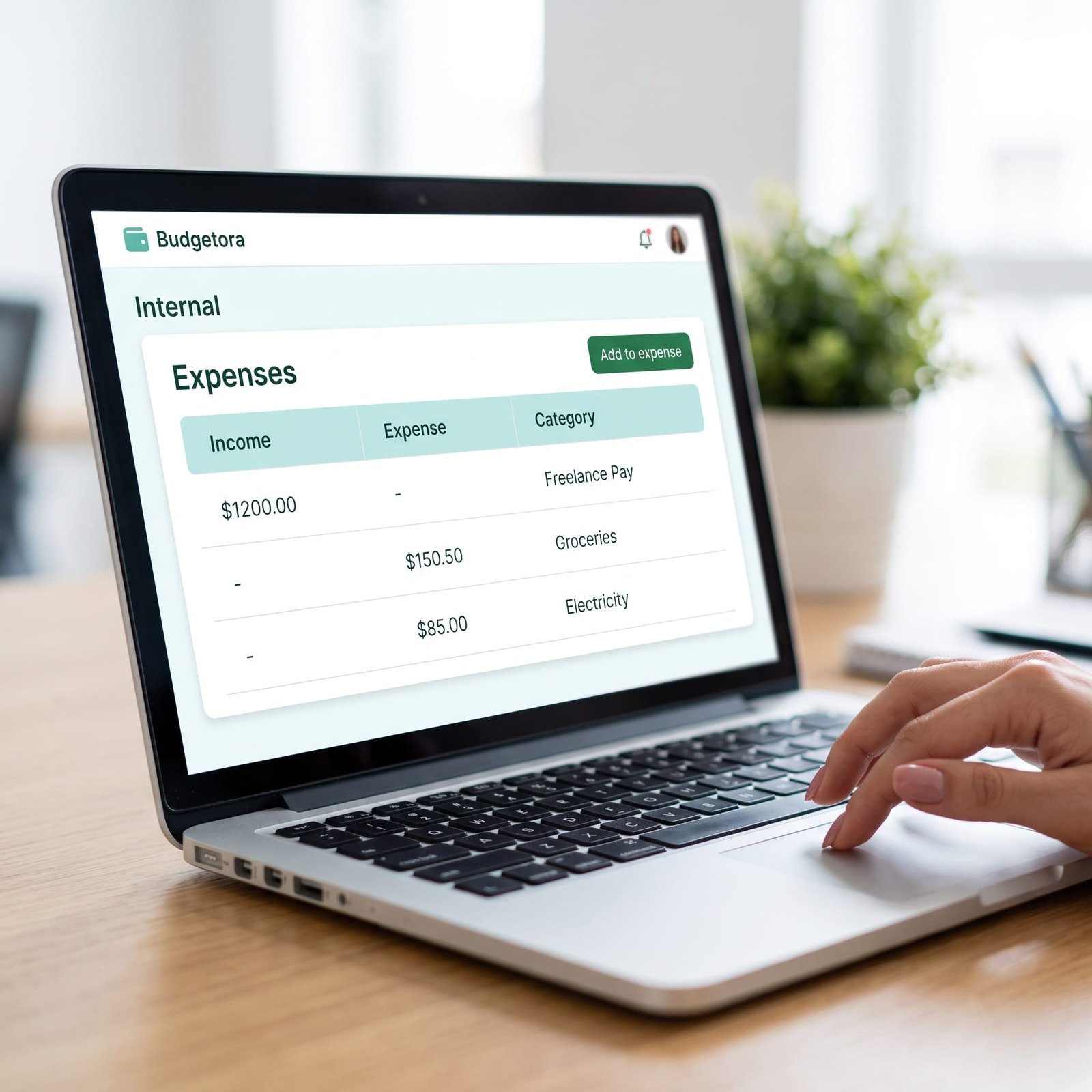
If you have multiple income sources, record them separately. This makes your total monthly income easier to understand.
For example:
Salary: $3,500
Freelance income: $600
Other income: $100
Total income: $4,200
You now have a starting point for the month.
Step 2: Record Your Expenses
Next, record the money you spend. Do not wait until the end of the month and try to remember every purchase. Record expenses regularly instead.
For example:
- Groceries: $75
- Transportation: $40
- Housing: $1,200
- Subscriptions: $30
You can also organize expenses into categories. Categories make your spending easier to review because you can see where your money goes instead of looking at a long list of individual transactions.
Step 3: Check Your Remaining Balance
Once you record your income and expenses, calculate the difference.
Total Income − Total Expenses = Remaining Balance
For example:
$4,100 income − $2,800 expenses = $1,300 remaining
Your remaining balance does not automatically mean that you should spend the entire amount. It simply shows the difference between your recorded income and recorded expenses.
That number gives you a clearer starting point for your next financial decision.
What Should a Free Monthly Budget Planner Include?
When people search for free monthly budget planner templates, they often want something that is easy to understand and easy to maintain.
A useful planner should make the most important information easy to find. At a minimum, look for:
- Income tracking
- Expense tracking
- Expense categories
- Dates or transaction details
- Notes
- Monthly totals
- Remaining balance
More advanced planners may also include planned-versus-actual spending, savings goals, debt tracking, dashboards, charts, or multi-month comparisons. Current free budgeting tools and templates commonly use some of these features to differentiate themselves.
But more features do not automatically make a planner better. The right planner is the one that matches the level of detail you actually need.
If you only want to answer “How much came in, how much went out, and what remains?”, a simple income-and-expense system may be enough.
Free Monthly Budget Planner Templates: What to Look For
You will find free budget planners in many formats:
- Printable PDF worksheets
- Excel spreadsheets
- Google Sheets templates
- Browser-based budget tools
- Mobile budgeting apps
Each format has advantages. A printable planner works well if you prefer writing by hand. A spreadsheet gives you more control over formulas and customization.
A browser-based planner can reduce the manual work involved in calculations.
Some current free tools also provide features such as planned-versus-actual comparisons, automatic calculations, CSV export, or browser-based storage.
Before choosing a template, ask yourself five questions:
1. Will I actually use it?
A beautiful template does not help if you stop using it after a few days.
2. Can I understand it quickly?
You should not need a tutorial every time you want to record an expense.
3. Does it track the information I care about?
If you only need income and expenses, you may not need dozens of additional fields.
4. Does it reduce manual work?
Automatic totals can save time and reduce calculation errors.
5. Does it fit my routine?
The best budgeting system is the one that fits naturally into your daily or weekly routine.
Consistency matters more than complexity.
Free Budgeting Templates for Different Needs
There is no single budgeting method that works for everyone. Someone with a predictable salary may want a straightforward monthly income-and-expense tracker.
Variable freelance income may want to separate several income sources. Focused on saving may want savings goals.
Someone paying off debt may want dedicated debt-tracking fields. More advanced free templates often combine income and expenses with savings, debt, planned-versus-actual comparisons, or other financial goals.
That does not mean you need all of those features. Start with the information you actually need.
For example, a simple system might track:
Income
- Salary
- Freelance income
- Business income
Expenses
- Housing
- Food
- Transportation
- Utilities
- Shopping
- Entertainment
Then calculate:
Income − Expenses = Remaining Balance
You can add more detail later if your financial situation requires it.
Free Budget Tracker Template vs. Spreadsheet
A free budget tracker template and a spreadsheet can both help you monitor your finances, but they offer different experiences.
A spreadsheet usually gives you more flexibility. You can create formulas, add columns, build charts, and customize categories.
However, flexibility can also create extra work.
You may need to:
- Set up formulas
- Format cells
- Copy sheets
- Fix broken formulas
- Maintain categories
- Update totals manually
A simple digital budget planner can remove some of that work.
For someone who wants to track income and expenses without building a spreadsheet from scratch, a straightforward browser-based tool may feel easier.
The best choice depends on how much control you want versus how much setup you want to handle.
Why Small Expenses Matter
Large bills are easy to notice. Small purchases are easier to overlook. A $5 purchase may not seem important. Neither may a $10 purchase.
But repeated small purchases can become a meaningful part of your monthly spending.
For example:
- Coffee: $6
- Lunch: $14
- Subscription: $12
- Snack: $5
- Delivery fee: $8
The individual purchases may not feel significant. Together, they can change your monthly spending picture. That is why expense tracking matters.
A budget planner does not need to tell you that every small purchase is bad. It simply helps you see the pattern. Once you can see the pattern, you can decide whether you want to change it.
A Simple Monthly Budget Plan Example
Let us look at a realistic example.
Imagine your monthly income is:
- Salary: $3,500
- Freelance income: $600
- Other income: $100
Total income: $4,200
Now record your expenses:
- Housing: $1,400
- Food: $500
- Transportation: $250
- Utilities: $200
- Shopping: $300
- Entertainment: $150
- Other: $200
Total expenses: $3,000
Now calculate:
$4,200 − $3,000 = $1,200 remaining
You now have a much clearer picture of your month. The important point is not the exact dollar amount. The important point is that you can see the relationship between your income and expenses.
From there, you can decide what the remaining money means for your own priorities.
How to Build a Monthly Budget Habit
The biggest challenge is often not creating a budget. It is continuing to use it. A simple routine can help.
At the Beginning of the Month
Record your expected income.
Review any regular expenses you already know about.
During the Month
Record expenses as they happen.
Do not rely on memory.
Once a Week
Review your spending categories.
Look for unusual or unexpected expenses.
At the End of the Month
Compare your total income with your recorded expenses.
Check your remaining balance.
Then ask:
What did I learn about my spending this month?
That question is more useful than simply asking whether you “stuck to the budget.” The goal is not perfection. The goal is better awareness and better decisions over time.
A Simple Monthly Money Review
You can make your monthly review even easier by using a short five-question check-in:
1. What was my total income?
Add all recorded income sources.
2. What were my total expenses?
Add all recorded spending.
3. Which category cost the most?
Identify the largest spending category.
4. Which expenses surprised me?
Look for purchases or recurring costs you did not expect.
5. What should I do differently next month?
Choose one practical change instead of trying to change everything at once.
This turns your budget from a simple record-keeping tool into a monthly learning system.
Digital vs. Printable Monthly Budget Planners
Both digital and printable budget planners can work well.
Printable Budget Planner
A printable planner may be better if you:
- Prefer handwriting
- Like physical planners
- Want something you can keep in a binder
- Prefer to avoid screens
Many free printable planners include sections for income, fixed expenses, variable spending, savings, debt, and monthly reviews.
Digital Budget Planner
A digital planner may be better if you:
- Prefer entering transactions on a computer or phone
- Want automatic calculations
- Want to update your information quickly
- Prefer keeping your records digitally
Some browser-based tools also let users export their data or keep information locally in the browser.
Neither option is automatically better. Choose the format that makes it easiest for you to maintain the habit.
Why Simplicity Can Be a Feature
Many budgeting tools compete by adding more features. You can find templates with dashboards, charts, savings goals, debt sections, planned-versus-actual comparisons, multiple sheets, and detailed financial categories.
Those features can be useful. But they can also make budgeting feel harder for someone who simply wants to track monthly cash flow.
That creates an important distinction:
More features do not always mean a better experience.
If your goal is simply to understand your monthly income and expenses, a focused tool can be easier to maintain. This is the idea behind Budgetora.
Why Budgetora Is a Simple Starting Point
Budgetora is designed for people who want a straightforward way to track their monthly income and expenses without starting with a complicated financial system.
Instead of filling out unnecessary financial fields, you can focus on the basics.
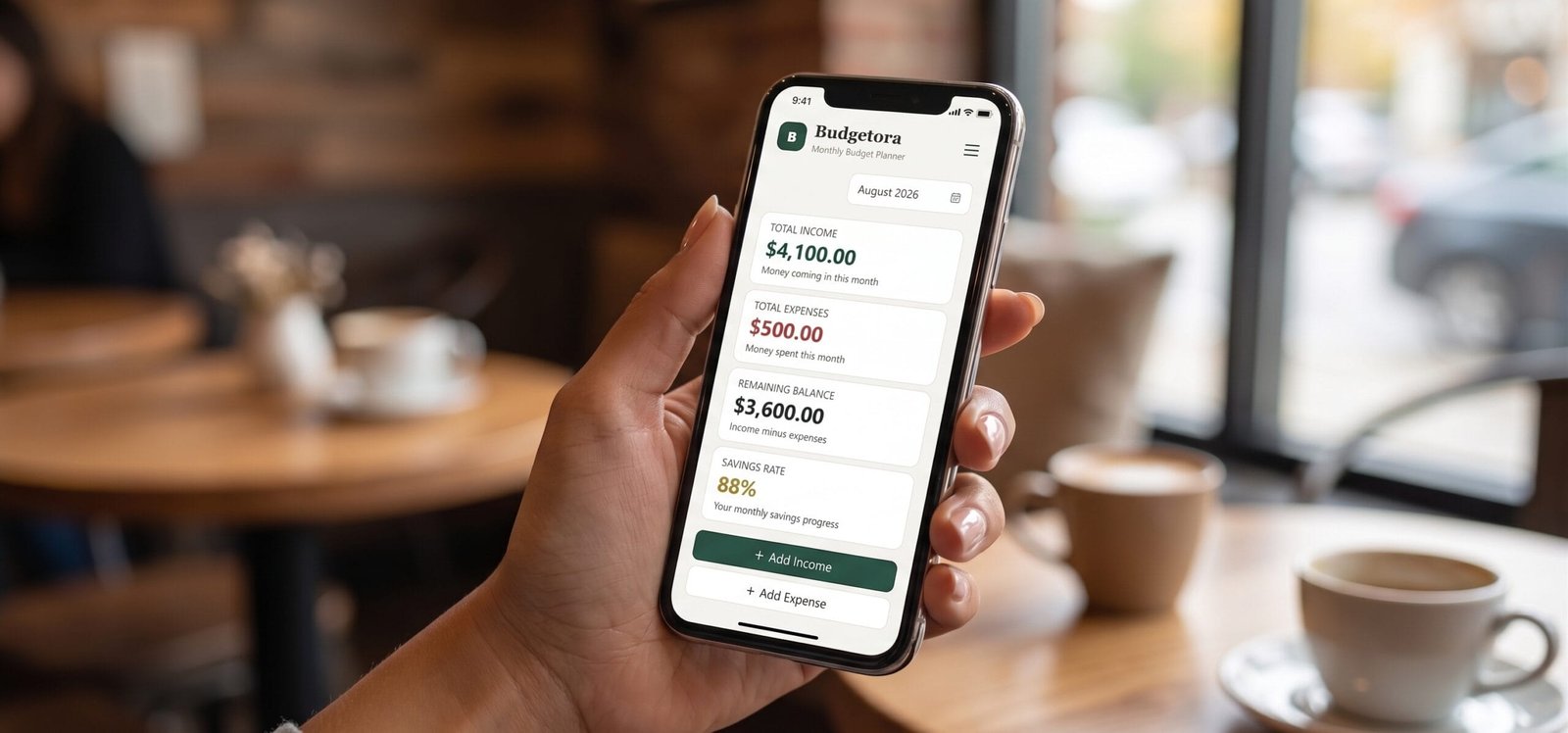
With the Budgetora free monthly budget planner, you can:
- Add income
- Add expenses
- Organize transactions by category
- Create custom income categories
- Create custom expense categories
- View total income
- View total expenses
- See your remaining balance
- Review your monthly activity
- Export your data for backup
The goal is simple:
Know what comes in. Know what goes out. Understand what remains.
Budgetora is not designed to replace every type of financial planning tool. It is a simple starting point for people who want a clearer view of their monthly money activity.
Is a Free Monthly Budget Planner Enough?
For many beginners, yes.
If your main goal is to understand your income, expenses, and remaining balance, a simple planner can provide the information you need to start building better financial awareness.
However, your needs may grow over time. You may eventually want:
- Detailed monthly planning
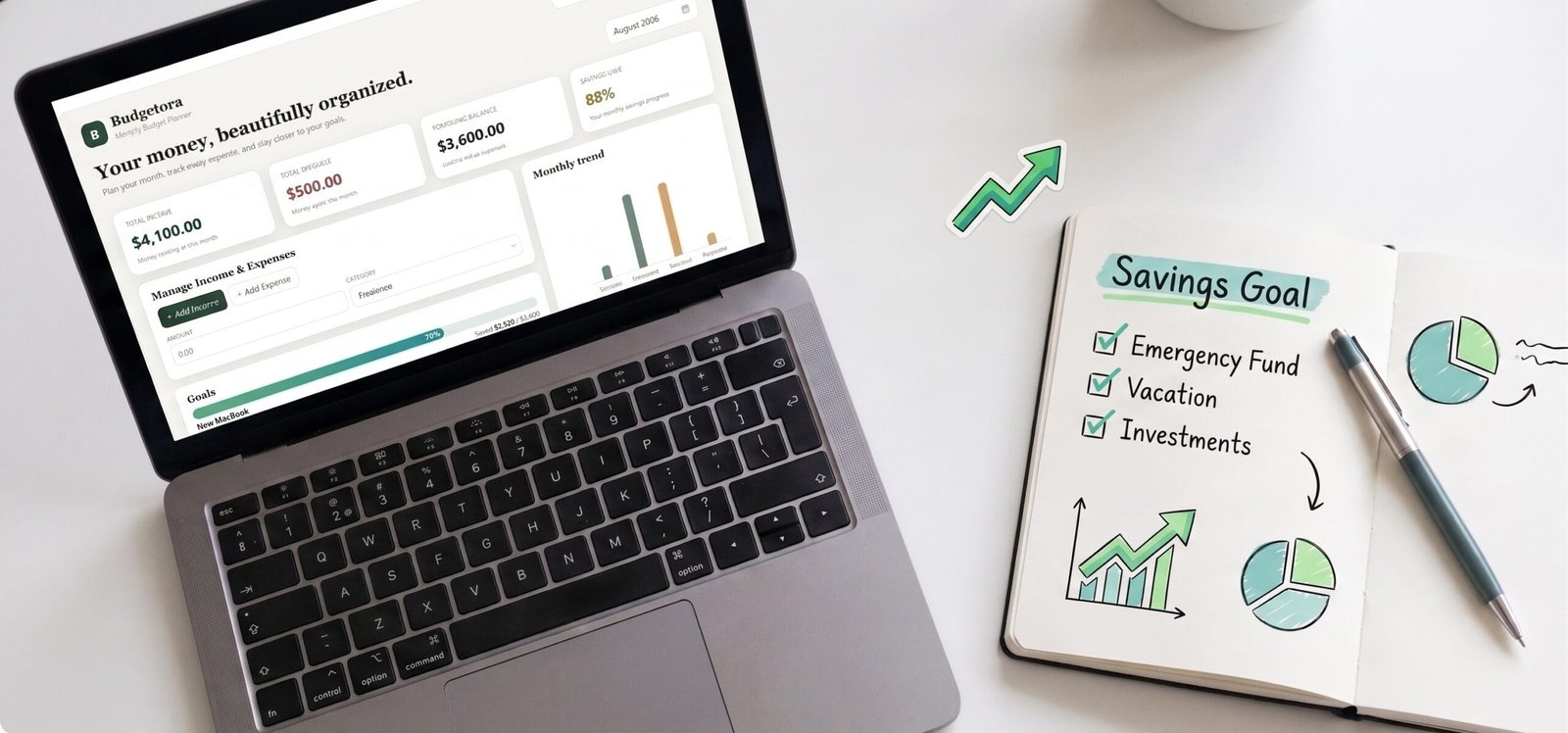
- Savings goals
- Debt tracking
- Planned-versus-actual comparisons
- Recurring expense tracking
- Long-term financial goals
- Advanced reports
- Multi-month comparisons
If you need those features, a more advanced budgeting system may make sense. The important thing is to avoid paying for complexity before you know that you need it. Start with the simplest system that solves your current problem.
Ready for a More Complete Budgeting System?
If you want to go beyond basic income and expense tracking, explore the Expenso Budget Planner All-in-One. It gives you a more complete way to organize and manage your monthly finances in one place.
Explore Expenso Budget Planner All-in-One
Who Should Use a Free Monthly Budget Planner?
A simple monthly budget planner can work well for:
Budgeting Beginners
If you have never tracked your money before, start with income and expenses.
People Who Keep Losing Track of Small Purchases
Recording everyday spending can make hidden patterns easier to see.
Freelancers and People With Variable Income
Separating income sources can help you understand how much money you receive each month.
People Who Want a Simple Alternative to Spreadsheets
If building formulas and maintaining spreadsheet templates feels like too much work, a dedicated digital planner may be easier.
Anyone Who Wants Better Monthly Visibility
You do not need a major financial goal to benefit from knowing where your money goes.
Sometimes awareness is the first step.
Common Mistakes When Using a Monthly Budget Planner
A budget planner works best when you use it consistently.
Avoid these common mistakes.
Mistake 1: Waiting Until the End of the Month
You may forget smaller transactions.
Better approach: Record expenses regularly.
Mistake 2: Making the System Too Complicated
Too many categories can make the planner harder to maintain.
Better approach: Start with the categories you actually use.
Mistake 3: Tracking Only Large Expenses
Small purchases can add up.
Better approach: Record everyday spending as well.
Mistake 4: Ignoring Variable Income
If your income changes each month, using one fixed income number can give you an inaccurate picture.
Better approach: Record each income source separately.
Mistake 5: Treating the Remaining Balance as “Free Money”
Your remaining balance shows the difference between recorded income and expenses.
It does not automatically mean that the entire amount is available for discretionary spending.
Better approach: Use the number as information for your next financial decision.
[Explore Expenso Budget Planner All-in-One]
Frequently Asked Questions
The best free monthly budget planner is one that you can understand quickly, use consistently, and adapt to your financial situation. If you only need basic income and expense tracking, a simple planner may be more useful than a complex system with features you never use.
Yes. Many free budgeting templates and digital tools are available in printable, spreadsheet, and browser-based formats. Some provide advanced features such as automatic calculations, planned-versus-actual tracking, or data export. Budgetora provides a free digital experience for tracking monthly income and expenses.
A basic monthly budget planner should include income, expenses, categories, transaction details, monthly totals, and a remaining balance. More advanced planners may include savings goals, debt tracking, planned-versus-actual spending, recurring expenses, and reports.
No. Budgetora is a digital, browser-based budgeting tool rather than a printable PDF planner.
If you prefer digital income and expense tracking, Budgetora provides a straightforward alternative to a traditional printable worksheet.
Yes. Budgetora lets you record both income and expenses within the same monthly budgeting experience.
No. You can start with three basic actions: Record income. Record expenses. Review the difference. You can add more detail as you become comfortable with the process.
The core Budgetora income and expense tracking experience is available for free.
Start Your Free Monthly Budget Planner
If you want a straightforward way to track your monthly income and expenses, Budgetora gives you a simple place to start.
Track your income. Manage your expenses. Understand your month. → [Click here & Download Budgetora]

[…] biggest benefit of a subscription tracker is visibility. You cannot easily manage recurring expenses that you have forgotten […]
“Thank you for sharing such a great point!
You’re absolutely right visibility is crucial for managing recurring expenses and subscriptions. While our Free Monthly Budget Planner is great for basic overview and starting out, tracked expenses can easily get messy as subscriptions grow.
For those looking for deep visibility and advanced subscription & Recuring expense tracking features, we built our Smart Outflow Manger. It allows you to track, categorize recurring bills, and never let forgotten subscriptions slip through!
Thanks again for the valuable insight!
Best regards,
Blueprint Market Team”