





Description
Business Management System (BMS) All-in-One Digital Dashboard & Business Planner
The Business Management System (BMS) is a fully local-storage based, highly secure All-in-One Business Dashboard. It is designed for businesses, startups, and freelancers to seamlessly organize, track, and manage their daily workflows, finances, strategic goals (OKRs), marketing and sales pipelines, and operations from a single interface. Because it runs entirely client-side without external server dependency, all user data remains 100% private and secure on the local device.
Detailed Breakdown of Sections and Sectors
1. Dashboard
Sectors & Workflows:
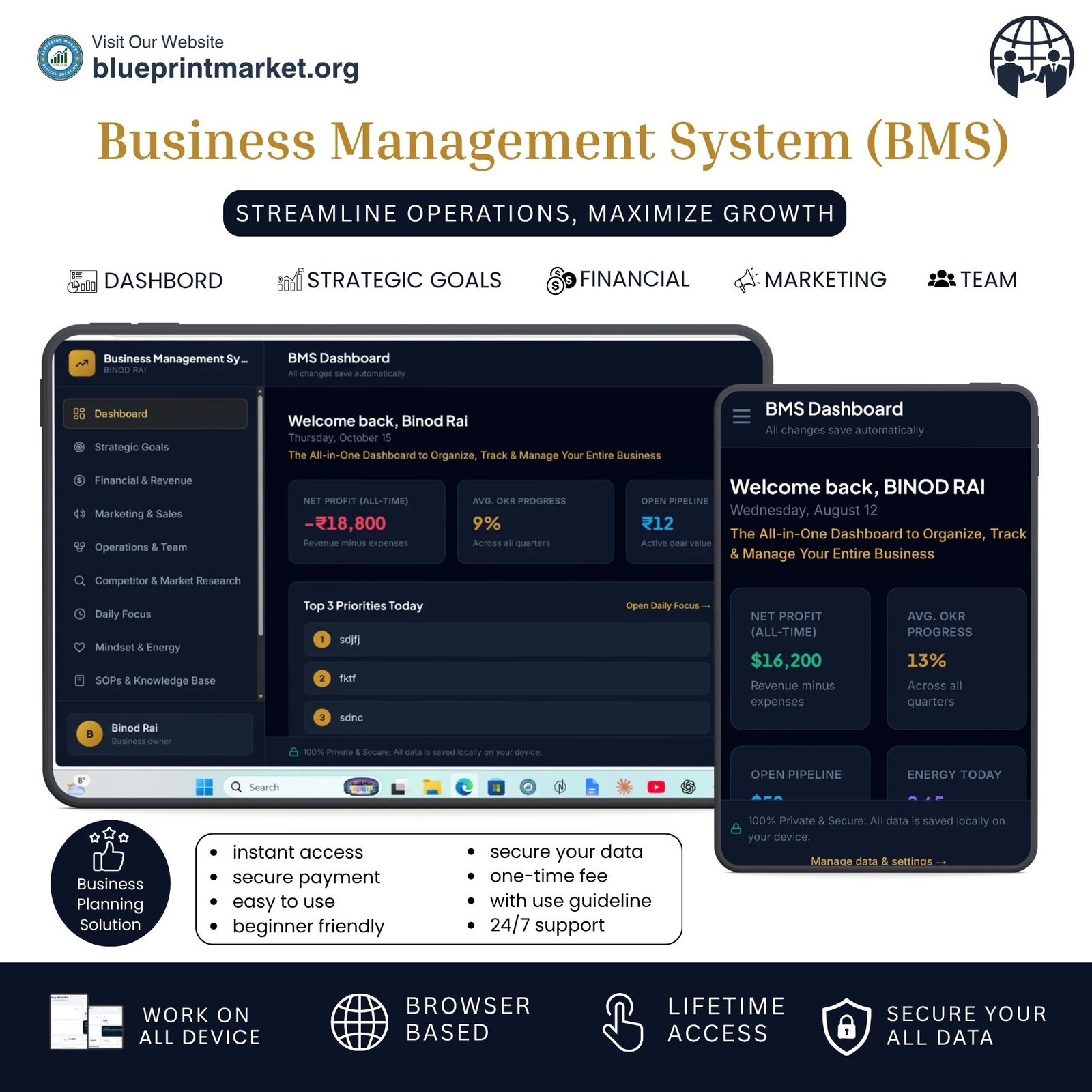
Net Profit: Displays all-time net profit or loss calculated dynamically from total revenues and expenses.
Avg. OKR Progress: Shows the aggregate percentage progress across all quarterly objectives.
Open Pipeline: Tracks the total active financial value of ongoing sales deals.
Energy Today: Displays the user’s latest logged daily energy level.
Top 3 Priorities Today: Highlights the three most important daily tasks at a glance.
2. Strategic Goals (OKRs, Vision & Roadmap, SWOT)
Sectors & Workflows:
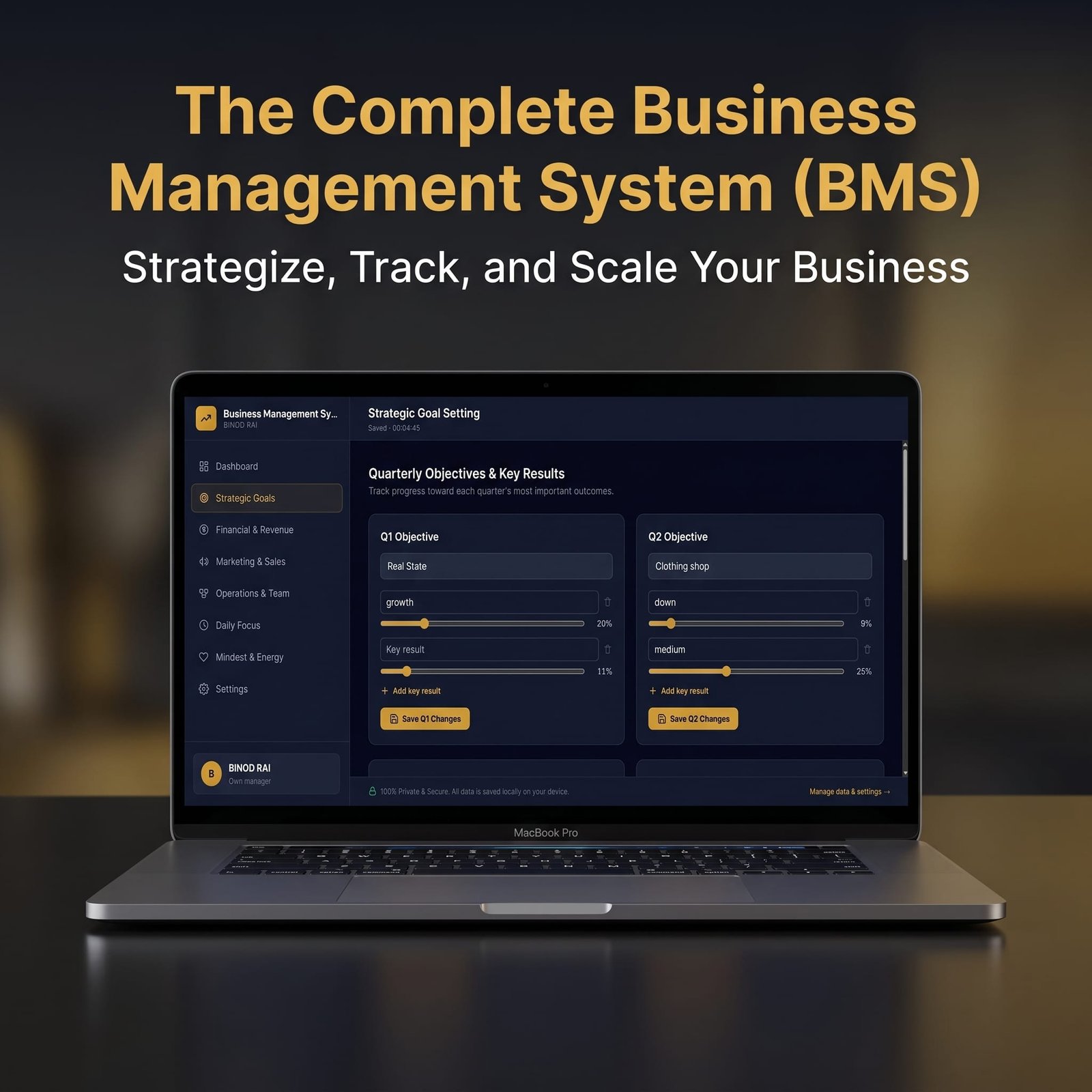
Quarterly Objectives & Key Results (Q1 to Q4): Tracks main quarterly objectives alongside individual key result items and their percentage progress sliders.
Annual Revenue & Growth Roadmap: Sets overarching annual revenue targets and structural growth milestones.
SWOT Analysis: Analyzes internal and external factors through four dedicated sectors Strengths, Weaknesses, Opportunities, and Threats.
3. Financial & Revenue Management
Sectors & Workflows:
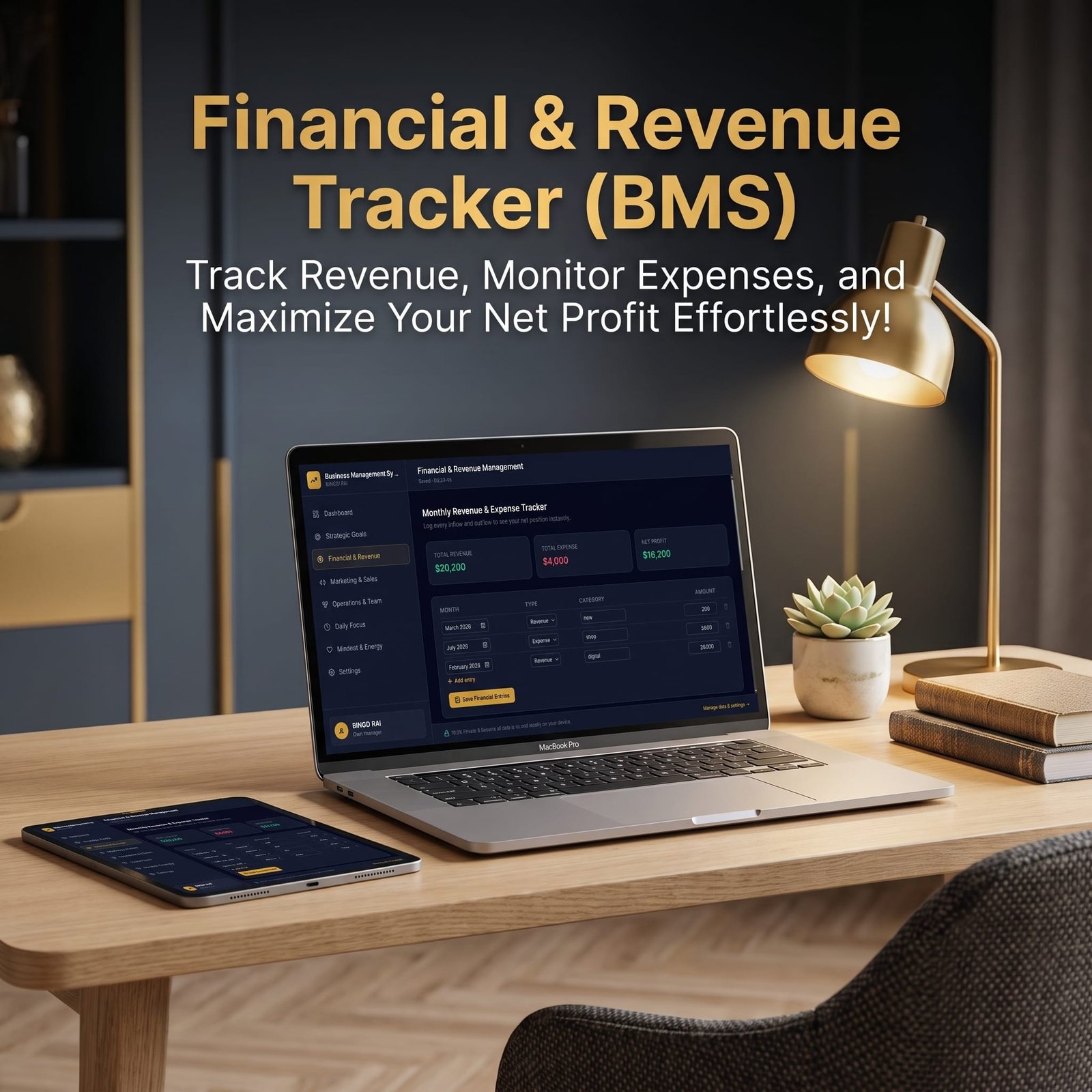
Monthly Revenue & Expense Tracker: Logs financial inflows and outflows item by item across custom categories and months.
Monthly Financial Review: Visualizes comparative monthly revenues and expenses through responsive progress bars.
Cash Flow Forecast: Projects running cash balances forward based on starting cash, monthly inflows, and outflows.
Profit Margin & Pricing Calculator: Computes suggested unit prices and profits per unit automatically from unit costs and target profit margins.
Investment ROI & Risk Analysis (Extended Module): Tracks capital allocation, calculates return on investment (ROI), and logs investment failures and postmortems.
4. Marketing & Sales Strategy
Sectors & Workflows:
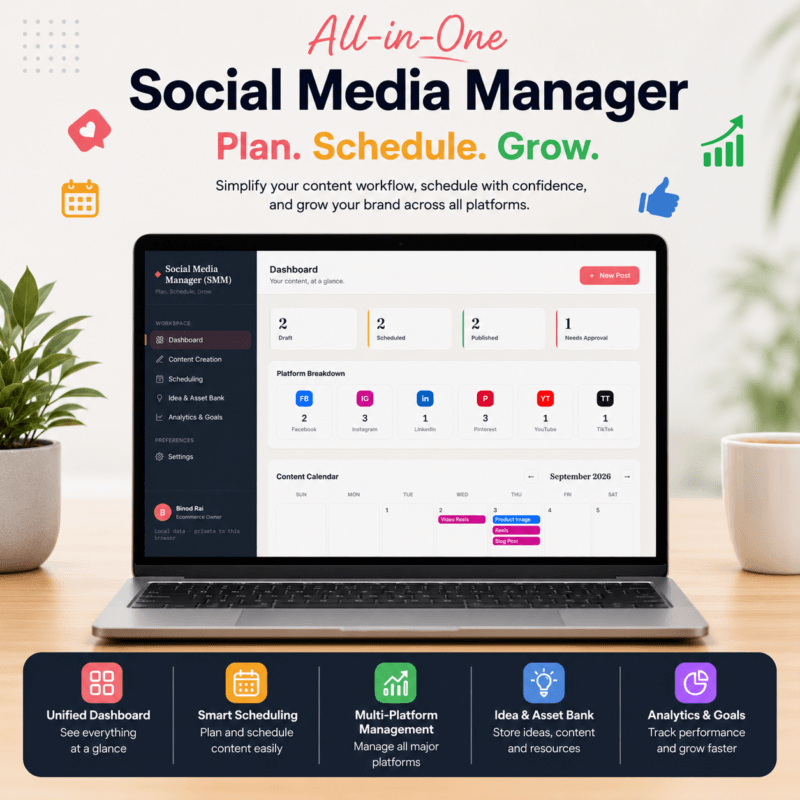
Social Media & Content Calendar: Manages multi-platform content planning across blogs, Pinterest, LinkedIn, YouTube, Instagram, X (Twitter), and email.
Sales Pipeline Tracker: Manages prospective leads from initial contact through proposal, negotiation, and closed stages.
Product / Campaign Launch Management: Tracks launch schedules, completion checklists, and progress metrics for marketing campaigns.
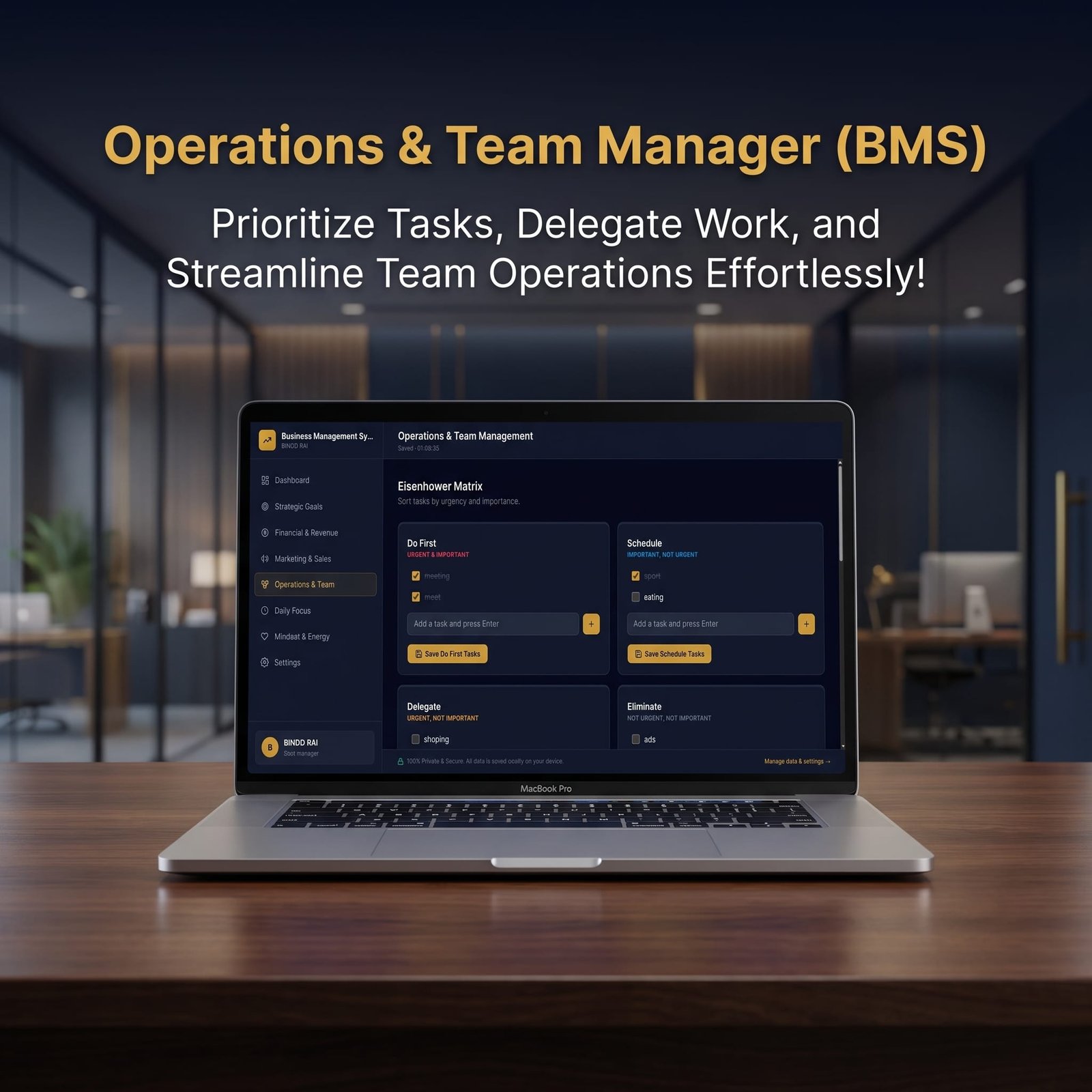
5. Operations & Team Management
Sectors & Workflows:
Eisenhower Matrix: Categorizes tasks into four quadrants Do First, Schedule, Delegate, and Eliminate.
Delegation Tracker: Assigns operational tasks to team members with due dates and completion statuses.
SOP Checklist Creator: Documents repeatable operational processes step-by-step.
Product and Service Lifecycle Innovation: Manage idea pipeline, development stage, customer feedback & feature requests and product information rating.
Customer Experience and Retention CRM: Manage customer feedback log, churn & return tracker, lifetime value tracker, VIP/repeat client directory.
6. Competitor & Market Research
Sectors & Workflows:
Competitor Benchmarking: Compares competitor profiles, pricing models, positioning strategies, and core strengths/weaknesses side-by-side.
Market Trends & Opportunities: Records emerging market trends, demands, potential threats, and recommended actions.
- SWOT Analysis Log: You can manage Strengths, Weaknesss, Opportunities, and Threat.
7. Daily & Weekly Focus
Sectors & Workflows:
Top 3 Priorities of the Day: Captures critical daily targets.
Hourly Time-Blocking Schedule: Builds custom hourly schedules and task lists.
Focus Timer: Implements a built-in Pomodoro timer (Focus 25, Short Break 5, Long Break 15) with session counters.
Weekly Review & Reflection: Reviews weekly wins, challenges, and structural improvements.
8. Mindset & Energy Management
Sectors & Workflows:
Burnout & Energy Level Tracker: Logs daily energy scores (1–5) and contextual notes to monitor and prevent burnout.
Personal vs. Business Boundaries & Habits: Manages boundaries and lifestyle habits via checkable lists.
9. SOPs & Knowledge Base
Sectors & Workflows:
SOPs Library: Stores department SOPs, versions, and reference documentation.
Research & Learning Vault: Curates notes, summaries, and tags from research materials.
Mistakes & Key Learning: Analyzes operational failures, root causes, and preventive action measures.
10. Legal & Business Assets
Sectors & Workflows:
Document Vault: Tracks legal agreements, licenses, document expiry dates, and access protocols.
Subscription & Access Log: Monitors software tools, billing cycles, monthly/yearly expenditures, and renewal schedules.
IP & Trademark Tracker: Manages trademarks, copyrights, patents, and domain registration lifecycles.
11. Settings
Sectors & Workflows:
Business Profile: Updates user names and professions to personalize dashboard greetings and avatars.
Appearance: Toggles seamlessly between dark and light modes.
Currency: Configures global multi-currency support (USD, EUR, NPR, INR, GBP, etc.).
Backup, Restore & Danger Zone: Manages local data safety through full JSON backups, imports, and complete resets.
Upgrade your networking with our premium, customizable Business Card Bundle design matching your BMS aesthetic. 👉 Shop the Business Card Bundle Here
🔒 Why Choose This Business Management System?
100% Private & Secure: All data is saved directly on your browser/device (Local Storage). Zero external cloud tracking or data leaks.
No Subscriptions / One-Time Purchase: Pay once and own your entire business management suite forever.
Sleek Light & Dark Mode: Designed with executive dark mode and rich brass/gold accents for an intuitive user experience.
Build lasting client relationships and boost repeat sales with editable printable Business Thank You Card templates.”👉 Get the Business Thank You Card Bundle Here
License Terms:
1.STANDARD LICENSE (Personal Use Only)
Who can use this?
Individuals purchasing for their own personal organization and planning.
Allowed (What you CAN do):
- Use this planner for your own personal daily planning, organization, and life management.
- Download and install on your personal devices (Tablet, iPad, Phone, PC).
- Print unlimited copies for your personal use only.
Not Allowed (What you CANNOT do):
❌ Share, send, or email the original files or links to friends, family, or anyone else.
❌ Use this planner for any commercial, business, or client-related projects.
❌ Resell, sub-license, redistribute, or give away the original or edited files for free or paid.
2.COMMERCIAL LICENSE (Business & Client Projects)
Who can use this?
Freelancers, small business owners, agencies, and content creators.
Allowed (What you CAN do):
- Use this product for your business operations and internal workflow.
- Use this product to create completed end-projects for up to 50 Clients / Projects.
- Modify, customize, and brand the planner to fit your client’s needs.
Not Allowed (What you CANNOT do):
❌ Resell, share, or redistribute the planner files in their original editable format.
❌ Sell this product as a standalone planner on digital platforms (Etsy, website, market places).
❌ Claim original ownership or copyright of the source files.
3. EXTENDED LICENSE (Unlimited Commercial & Resell Usage)
Who can use this?
Agencies, large businesses, and digital product sellers looking for maximum freedom.
Allowed (What you CAN do):
- Use this planner for unlimited personal, business, and client projects.
- Customize, re-brand, edit, and combine this product with other elements.
- Sell the modified final product (End Product) to end-users on your website or online store.
Not Allowed (What you CANNOT do):
❌ Resell or distribute the source files as-is without making significant additions or modifications.
❌ Trademark or copyright the original design elements provided in this pack.
“Want to see how easy it is to set up and manage your business? Download our step-by-step User Guide PDF to explore all the features, shortcuts, and setup instructions.”
👉 Download the BMS User Guide & Setup Manual (PDF) Here
Tired of constantly resetting lost passwords and client login details? Keep all your business credentials secure and organized with our Printable Password Tracker Planner.
👉 [Get Your Password Tracker Here]
Frequently Asked Questions
What is the Business Management System (BMS) web app, and how does it help small businesses?
Is my business data stored securely, and do I need a database or monthly subscription?
Can I track financial metrics, profit margins, and business budgets with this tool?
How do I backup, restore, or transfer my business data across multiple devices?
What happens if I accidentally clear my browser cache or history?
📌 Important Guide: Data Safety & Cross-Device Syncing
Our web planners use your browser’s Local Storage to keep your daily entries fast, responsive, and completely private without requiring any accounts or passwords.
⚠️ Key Points to Remember:
- No Auto-Sync: Data saved on your mobile browser will not automatically sync to your computer/laptop.
- Cache Clearance Alert: Clearing browser history, cookies, or site cache will permanently erase your saved progress. Always export/download a backup of your data BEFORE clearing your browser cache or history!
- Incognito Mode: Avoid using private/incognito windows if you want to store progress long-term.
📱 How to Transfer Data from Mobile to Computer (or vice versa):
- Export: Open the planner on your phone, click “Export Data” (or Backup) to download you. Json backup file.
- Transfer: Send this downloaded file to your computer via Email, WhatsApp, or Google Drive.
- Import: Open the planner on your desktop browser, click “Import Data”, choose the file, and your entries will restore instantly!
💡 Tip: Make it a habit to export regular backups using the built-in feature to keep your progress safe at all times!



Reviews
There are no reviews yet.