




Description
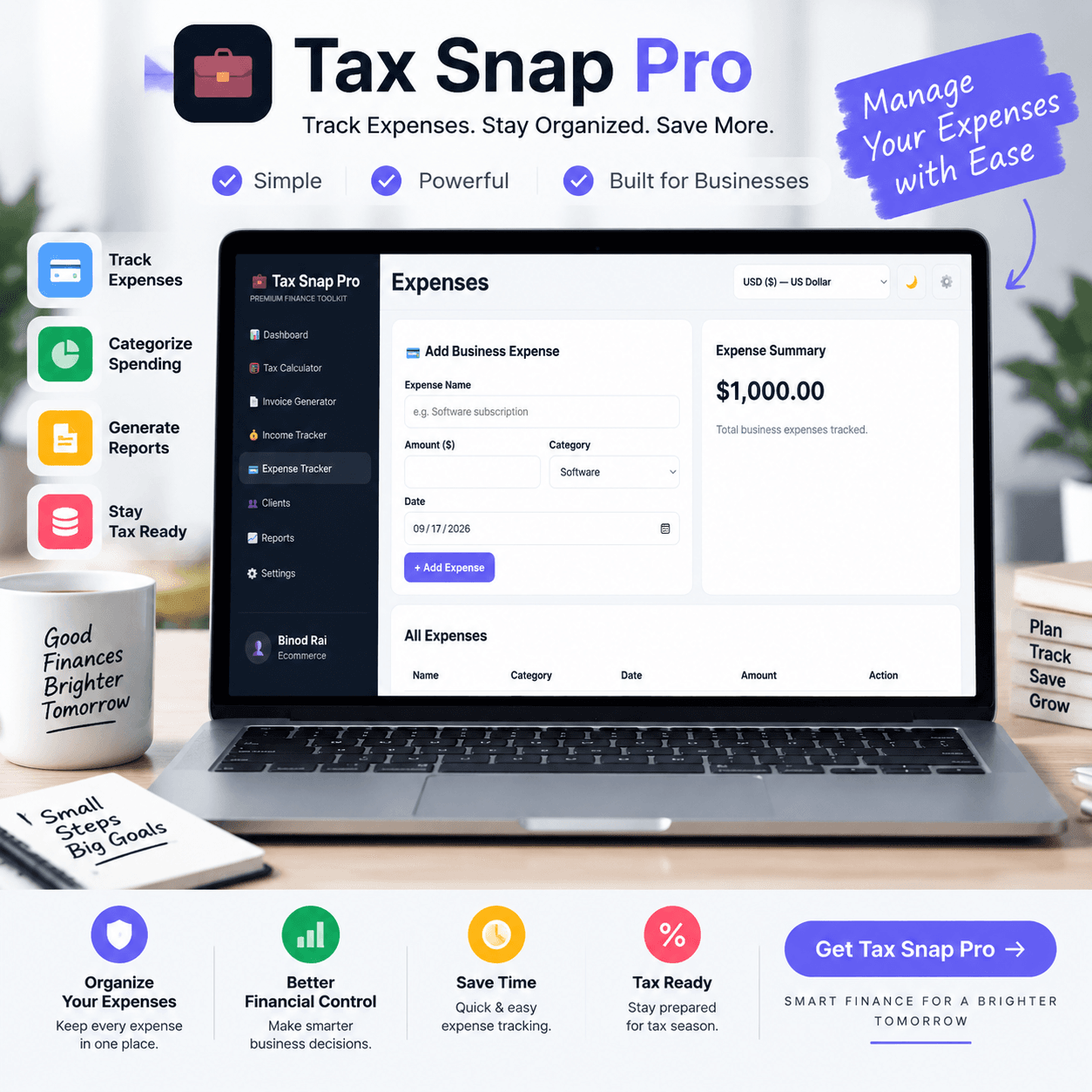
Tax Snap Pro – Ultimate Freelancer Tax Calculator and Invoice Generator Tool
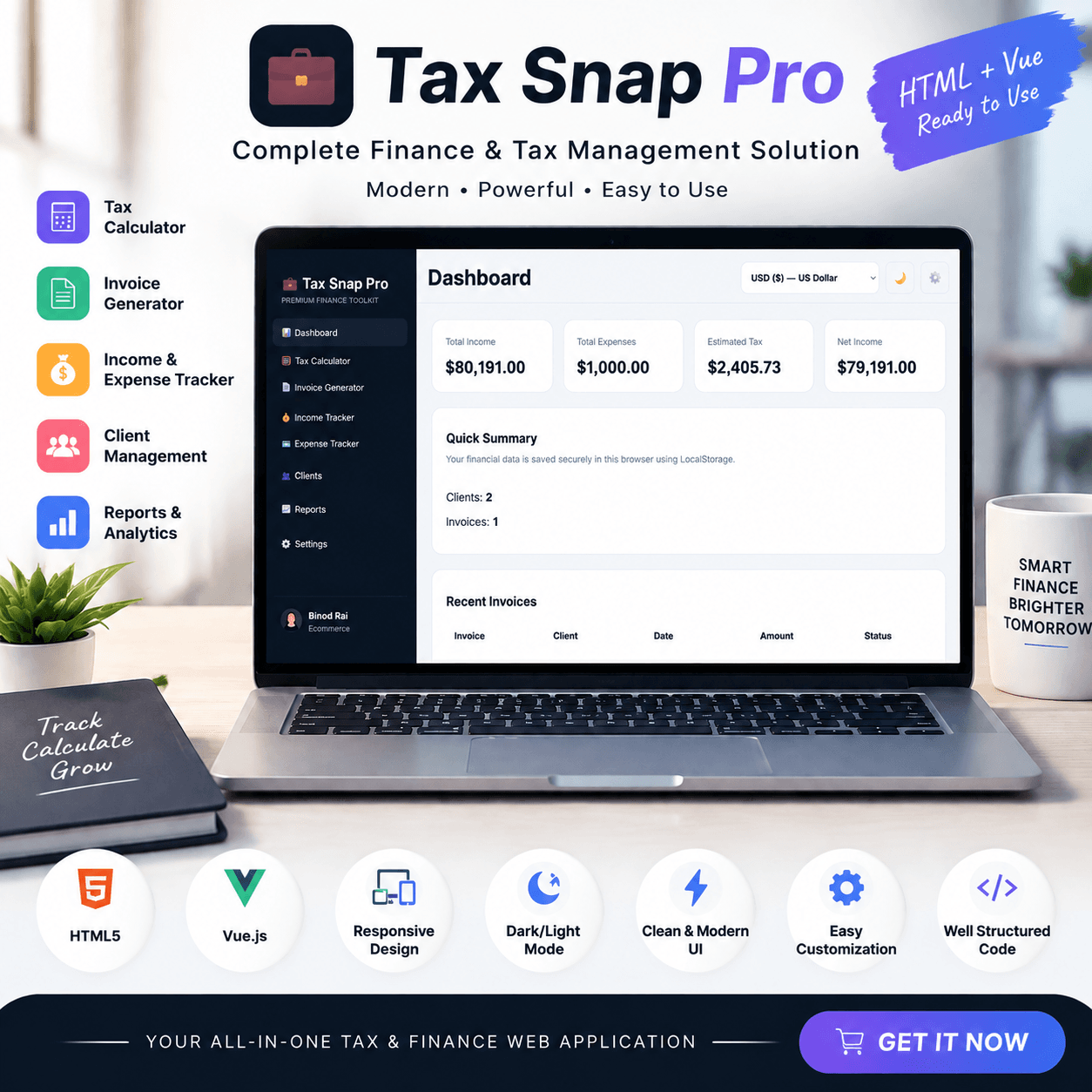
Taking complete control of your freelance finances has never been easier. Tax Snap Pro is a high-performance, lightweight, and privacy focused. Freelancer Tax Calculator and Invoice Generator Tool built specifically for freelancers, independent contractors, digital nomads, consultants, and agency owners.
With an intuitive user interface and zero backend dependencies, this all-in-one financial dashboard transforms tax estimation, invoice management, client tracking, and income-expense logging into an effortless process directly within your browser.
Whether you need to calculate quarterly self-employment tax obligations, generate polished PDF invoices for international clients, or analyze your monthly net profit margins, Tax Snap Pro provides a seamless accounting ecosystem. It replaces expensive subscription software with a permanent, browser-based solution that keeps your financial records accurate and completely private.
🌟 Key Features of Tax Snap Pro
🧮 Comprehensive Freelancer Tax Estimator:
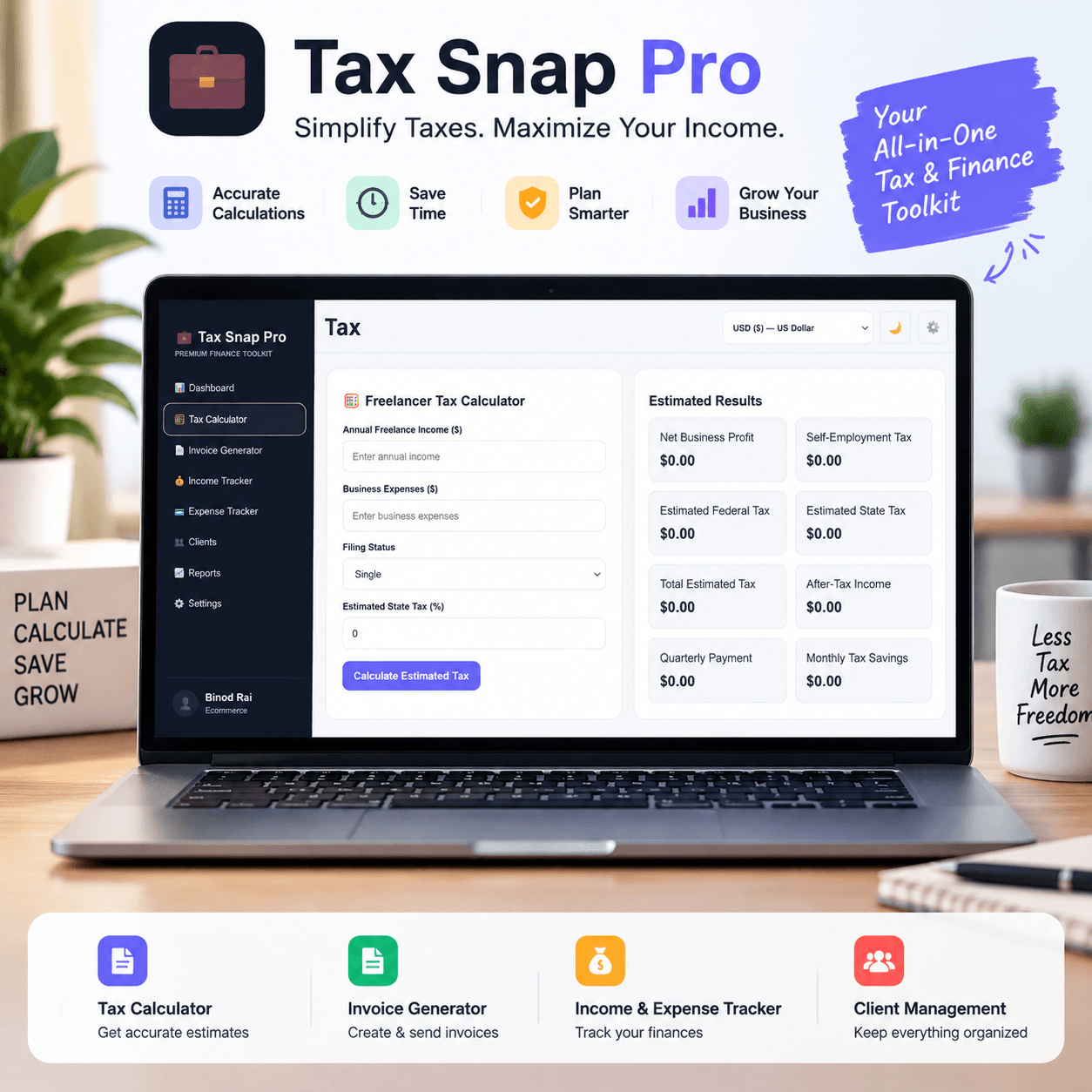
Operating as a full-featured Freelancer Tax Calculator and Invoice Generator Tool, it eliminates end-of-year tax surprises by calculating estimated self-employment taxes, federal tax liabilities, and state taxes in real time.
It dynamically breaks down net business profits and provides precise monthly tax savings targets and quarterly estimated payment amounts. You can easily adjust tax filing statuses (Single, Married Filing Jointly, Head of Household) and state tax percentages to tailor tax estimates to your jurisdiction.
📄 Custom Invoice Builder with One-Click PDF Export:
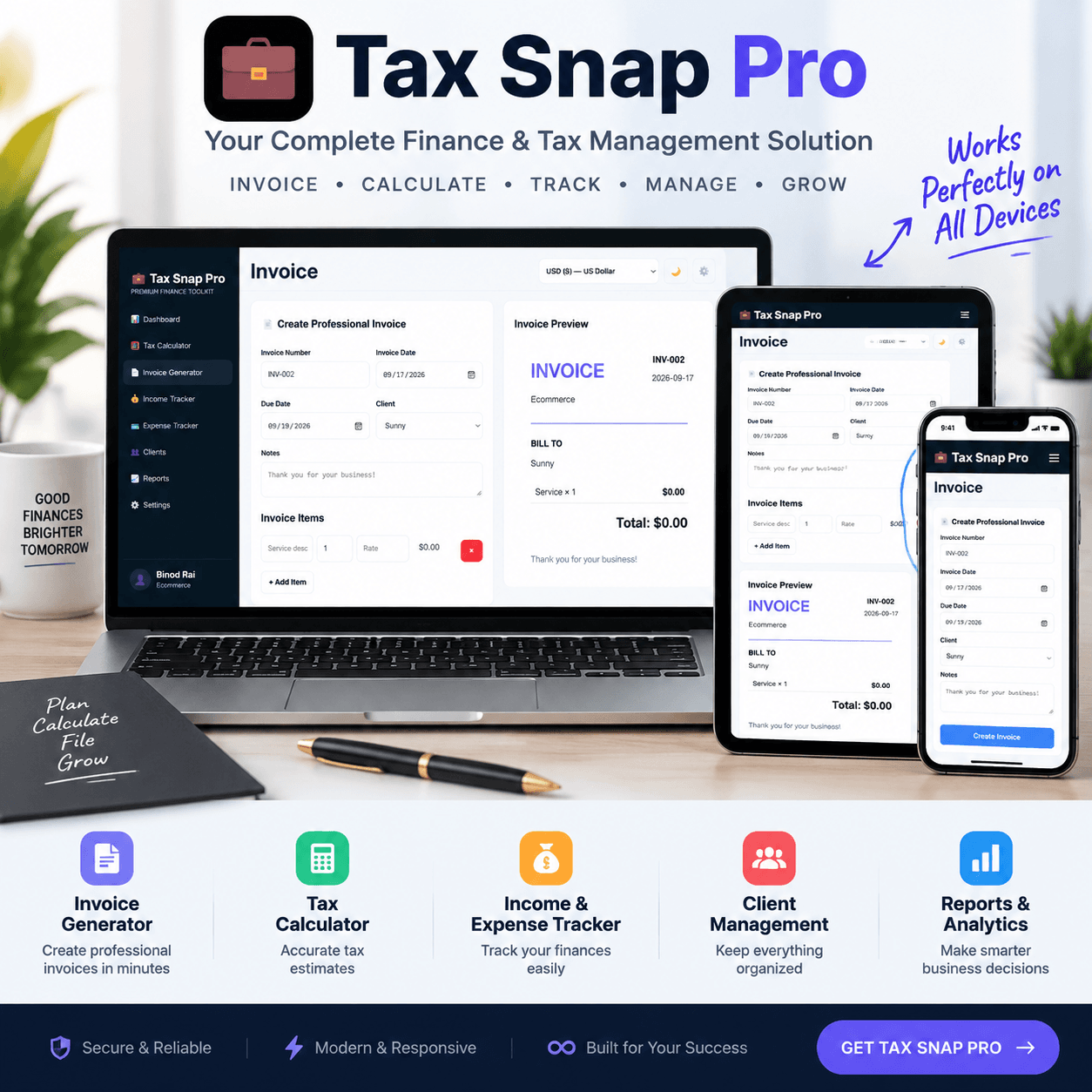
Streamline your client billing workflow with an integrated invoice editor. Add itemized service descriptions, quantities, and hourly rates while automatically applying percentage-based sales taxes and custom discounts.
The real-time visual preview updates instantly as you type, allowing you to generate and download crisp PDF invoices directly to your device without watermarks or third-party branding.
💰 Dedicated Income & Expense Tracker:
Maintain crystal-clear financial books with separate income and expense logging modules. Categorize business spending across essential categories like software subscriptions, office supplies, marketing, travel, and hardware equipment to maximize eligible tax write-offs.
Simultaneously log diverse revenue streams including royalties, consulting fees, and retainer payments giving you an accurate view of true net profit.
👥 Built-In Client Directory & Fast Autofill:
Efficiently manage client relationships inside your central dashboard. Store client names, corporate email addresses, and company profiles to speed up future billing routines.
Select any saved client from a quick dropdown list to automatically populate billing fields on new invoices, eliminating repetitive typing and preventing data errors.
📈 Visual Financial Analytics & Interactive Reports:
Convert raw accounting numbers into actionable visual growth metrics. Built-in interactive bar graphs show clear comparisons between gross income, operational expenses, estimated tax reserves, and net profit.
Track key performance metrics such as total invoices issued and saved client records to evaluate business health over time.
🛡️ Modern Design & Complete Privacy
Freelancer Tax Calculator is designed around absolute data privacy and modern web usability. Unlike traditional cloud accounting platforms that store sensitive revenue records and client details on external web servers, Tax Snap Pro processes all calculations and operations locally within your web browser using HTML5 LocalStorage.
🔒 100% Local & Confidential Data Storage: Your financial data stays strictly on your device meaning no mandatory user accounts, no external database logging, and zero recurring cloud service fees.
🌍 Built-In Multi-Currency Support (20 Global Currencies): Built for cross-border freelancers, it seamlessly supports 20 major world currencies, including USD, EUR, GBP, CAD, AUD, JPY, INR, NPR, AED, and SGD. Dynamic formatting ensures proper currency symbols and decimal places across all screens, PDFs, and charts.
🌙 Mobile-First Responsive Layout with Dark Mode: Designed for round-the-clock productivity with a dedicated dark mode toggle. The fully mobile-responsive interface includes smooth slide-out navigation, quick currency swappers, and adaptive data tables optimized for mobile phones, tablets, and desktop displays.
💾 Automatic Local Warnings & JSON Data Backups: Features automated notifications reminding you to backup data, along with single-click JSON export and import tools so you can move or restore your financial records safely across browsers or hardware.
🔍 Detailed Feature Breakdown
Freelancer Tax Calculator offers deep functionality designed to simplify everyday business operations for self-employed professionals:
Real-Time Tax Liability Calculation: Instantly calculates self-employment tax (15.3% SE tax base), adjusted federal tax brackets, and custom state tax percentages to show exact take-home pay.
Line-Item Customization & Discounts: Manage multi-line billing easily by adding service descriptions, quantity multipliers, custom tax percentages, and flat discount amounts with dynamic subtotal updates.
Source Attribution & Order History: Keep track of exact revenue origin points (such as organic blogs, client payments, or email channels) and manage unpaid/paid invoice statuses transparently.
Standalone HTML Web App: Runs natively in any modern web browser without requiring complex installation, web server databases, node modules, or external API dependencies.
🚀 Why Choose Tax Snap Pro?
Choosing the right financial management software can save self-employed workers hundreds of dollars every year. By combining a Freelancer Tax Calculator and Invoice Generator Tool into one streamlined interface, Tax Snap Pro eliminates the ongoing cost of expensive monthly software subscriptions and replaces messy spreadsheet templates.
It empowers freelancers to project quarterly tax obligations accurately, issue sleek invoices that get paid faster, and keep 100% control over their private financial data. Tax Snap Pro delivers a professional, dependable, and subscription-free accounting solution built for modern digital business owners.
[click here and read the user guideline]
📈 Scale Your E-commerce Business Beyond Invoicing!
If you sell physical or digital products online, check out EcomOS Pro our comprehensive E-commerce Operating System built to monitor sales analytics, profit margins, and ad performance in real time.
Frequently Asked Questions
What is a Freelancer Tax Calculator?
How does a Freelancer Tax Calculator work?
Can freelancers use a tax calculator to estimate their taxes?
Why should freelancers calculate their taxes in advance?
What information do I need to calculate freelance taxes?
Why should freelancers calculate their taxes in advance?
What information do I need to calculate freelance taxes?
License Terms:
1.STANDARD LICENSE (Personal Use Only)
Who can use this?
Individuals purchasing for their own personal organization and planning.
Allowed (What you CAN do):
- Use this planner for your own personal daily planning, organization, and life management.
- Download and install on your personal devices (Tablet, iPad, Phone, PC).
- Print unlimited copies for your personal use only.
Not Allowed (What you CANNOT do):
- Share, send, or email the original files or links to friends, family, or anyone else.
- Use this planner for any commercial, business, or client-related projects.
- Resell, sub-license, redistribute, or give away the original or edited files for free or paid.
2.COMMERCIAL LICENSE (Business & Client Projects)
Who can use this?
Freelancers, small business owners, agencies, and content creators.
Allowed (What you CAN do):
- Use this product for your business operations and internal workflow.
- Use this product to create completed end-projects for up to 50 Clients / Projects.
- Modify, customize, and brand the planner to fit your client’s needs.
Not Allowed (What you CANNOT do):
- Resell, share, or redistribute the planner files in their original editable format.
- Sell this product as a standalone planner on digital platforms (Etsy, website, marketplaces).
- Claim original ownership or copyright of the source files.
3. EXTENDED LICENSE (Unlimited Commercial & Resell Usage)
Who can use this?
Agencies, large businesses, and digital product sellers looking for maximum freedom.
Allowed (What you CAN do):
- Use this planner for unlimited personal, business, and client projects.
- Customize, re-brand, edit, and combine this product with other elements.
- Sell the modified final product (End Product) to end-users on your website or online store.
Not Allowed (What you CANNOT do):
- Resell or distribute the source files as-is without making significant additions or modifications.
- Trademark or copyright the original design elements provided in this pack.
Important Guide: Data Safety & Cross-Device Syncing
Our web planners use your browser’s Local Storage to keep your daily entries fast, responsive, and completely private without requiring any accounts or passwords.
Key Points to Remember:
- No Auto-Sync: Data saved on your mobile browser will not automatically sync to your computer/laptop.
- Cache Clearance Alert: Clearing browser history, cookies, or site cache will permanently erase your saved progress. Always export/download a backup of your data BEFORE clearing your browser cache or history!
- Incognito Mode: Avoid using private/incognito windows if you want to store progress long-term.
How to Transfer Data from Mobile to Computer (or vice versa):
- Export: Open the planner on your phone, click “Export Data” (or Backup) to download you. Json backup file.
- Transfer: Send this downloaded file to your computer via Email, WhatsApp, or Google Drive.
- Import: Open the planner on your desktop browser, click “Import Data”, choose the file, and your entries will restore instantly!
Tip: Make it a habit to export regular backups using the built-in feature to keep your progress safe at all times.
Related Products:
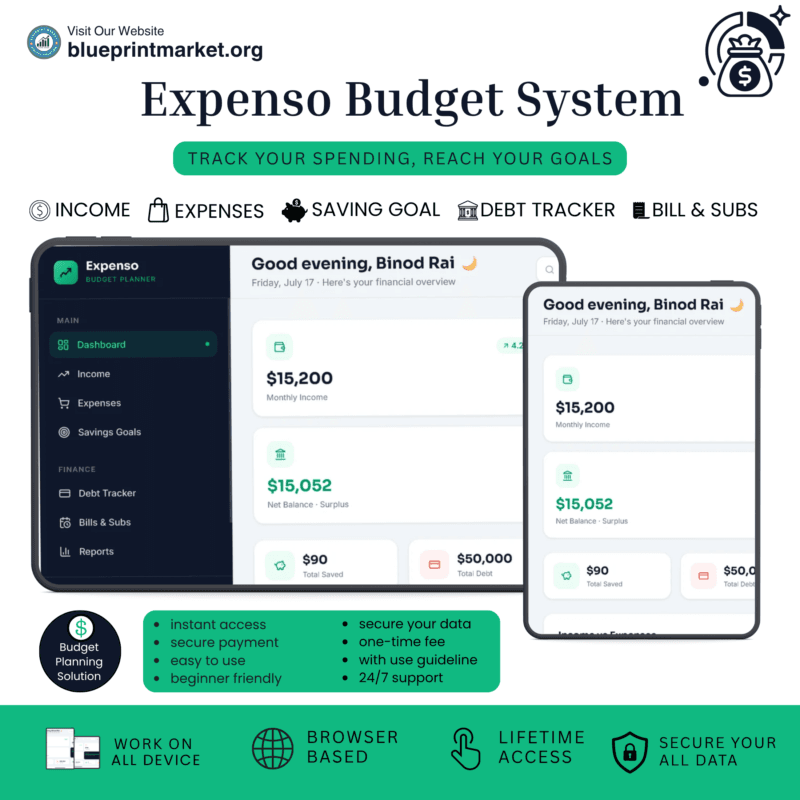
- Expenso: Budget Planner Web App for Personal Finance
- Smart Outflow Manager: Subscription & Debt Tracker
✔ Verified Internal Resource



Reviews
There are no reviews yet.