
Description
Smart Outflow Manager: Track Your Subscriptions, Debts & Recurring Expenses in One Place
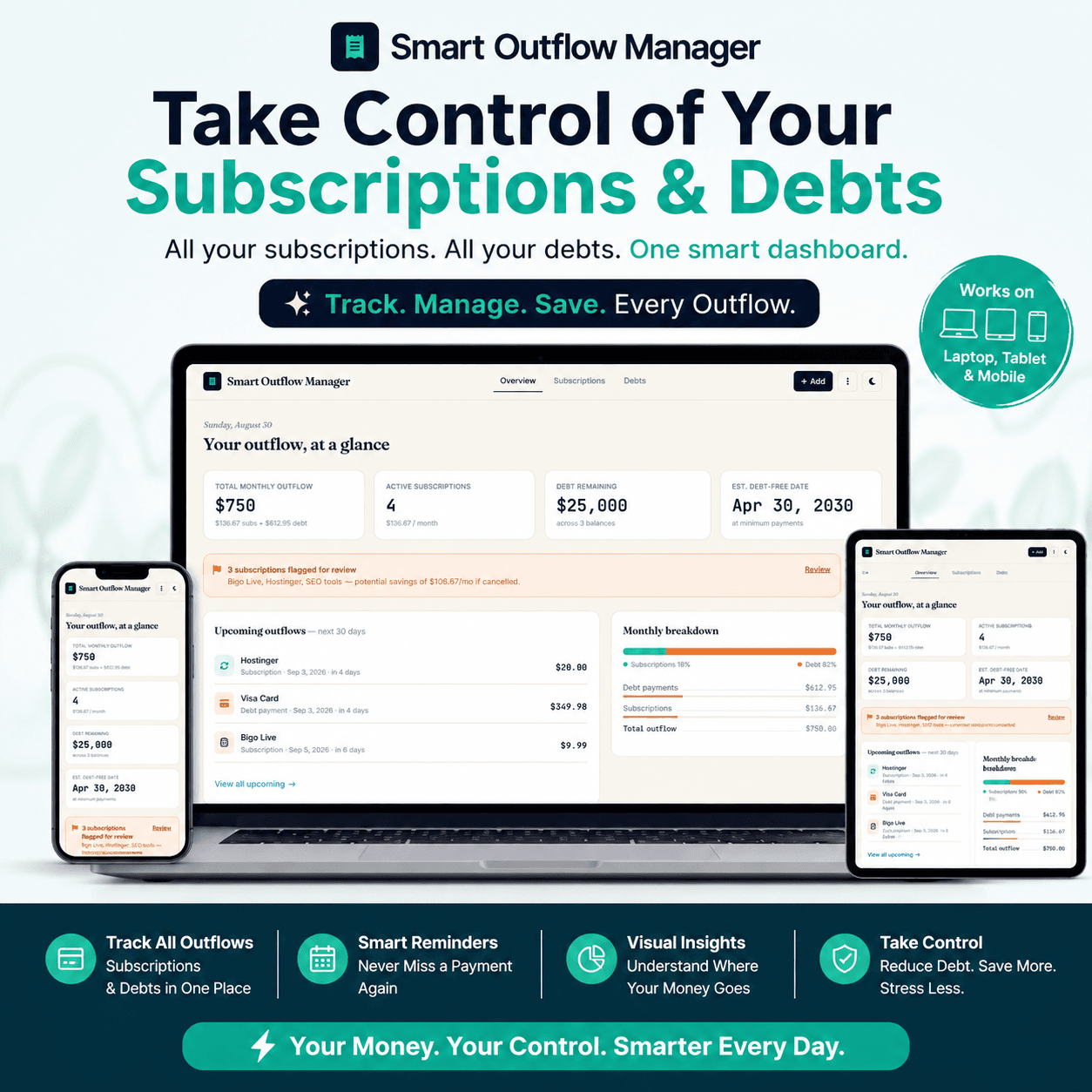
Managing multiple subscriptions, recurring payments, and debts can quickly become difficult. Smart Outflow Manager gives you one organized dashboard to monitor your subscriptions, track upcoming renewals, review recurring spending, manage debts, and identify potential savings.
Instead of keeping financial commitments scattered across notes, spreadsheets, and reminders, you can organize them in one simple and intuitive interface.
The app is designed with a clean dashboard, easy data management, smart reminders, spending insights, renewal tracking, and debt-management tools to give you a clearer picture of your recurring financial commitments.
Powerful Subscription Tracker
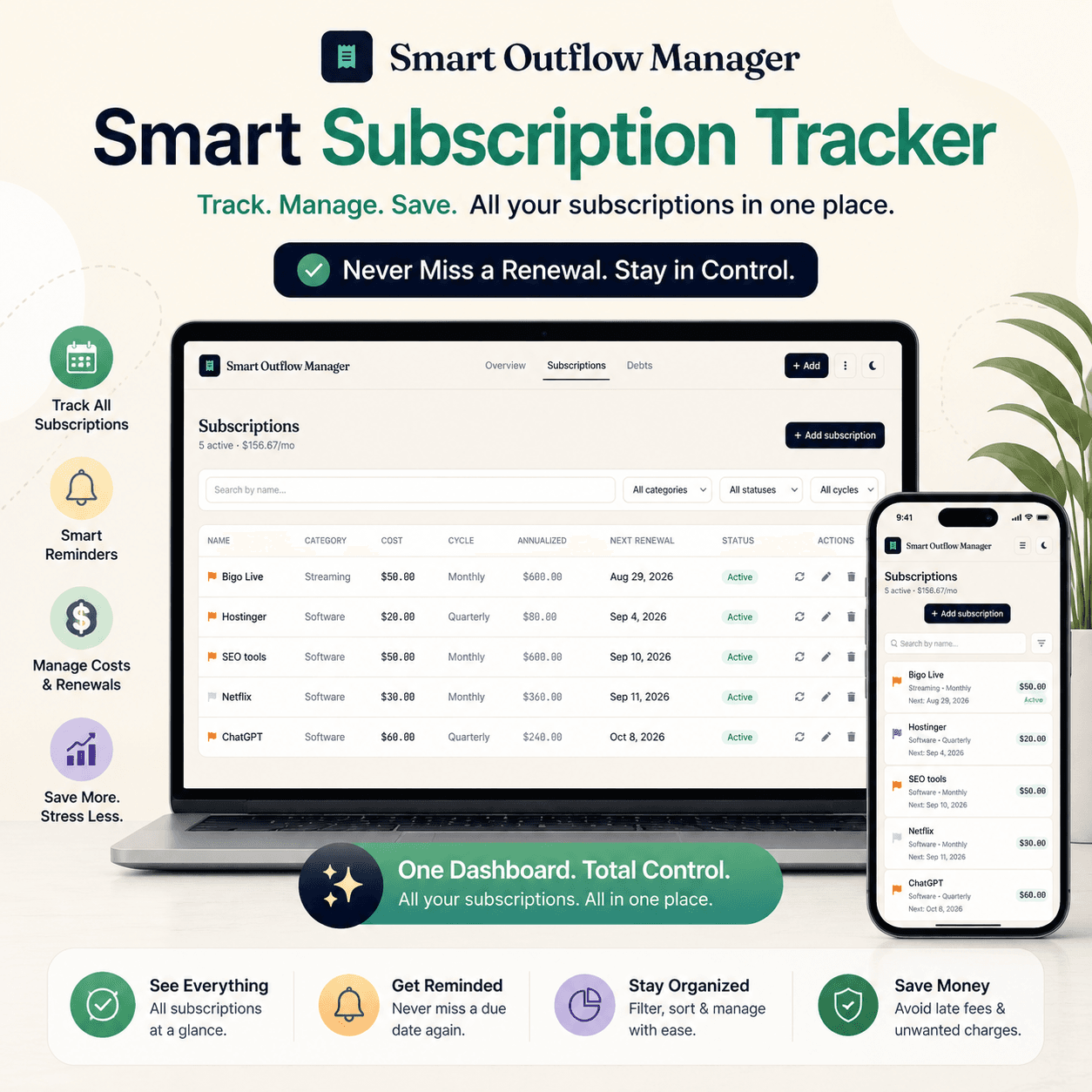
Keep all of your recurring subscriptions organized and easy to review.
Subscription Management Features
- Add and manage multiple subscriptions
- Record subscription name and category
- Track monthly or yearly billing cycles
- Track upcoming renewal dates
- Set subscription status
- Flag subscriptions that need review
- Edit or delete subscriptions whenever needed
- Monitor active subscription costs
- Calculate annual subscription spending
Your subscription data can be organized directly from the Subscriptions section, making it easy to maintain an up-to-date list of recurring services.
Smart Renewal Tracking
Never lose track of an upcoming subscription renewal. Smart Outflow Manager monitors upcoming renewal dates and presents them in an easy-to-understand dashboard.
Renewal Features
- Upcoming Renewals overview
- Renewal Calendar
- Next 30-day renewal tracking
- Scheduled renewal amount visibility
- Renewal reminders
- Easy identification of subscriptions that are approaching renewal
The dashboard can show how many subscriptions are scheduled to renew and the amount associated with those upcoming renewals.
Smart Renewal Reminders
Enable smart reminders to stay informed about upcoming subscription renewals.
Stay Ahead of Renewals
- Enable smart reminders
- Receive browser-based renewal notifications when supported
- Review upcoming subscription renewals
- Reduce the chance of forgetting important renewal dates
The app includes a dedicated Smart Renewal Reminders system, so renewal information is easier to notice before a recurring charge occurs.
Trial Tracker
Free trials can easily turn into paid subscriptions when you forget their expiration dates. Smart Outflow Manager includes a Trial Tracker to help you keep track of trials that are approaching their end date.
Trial Tracking Includes
- Record trial end dates
- See trials ending soon
- Monitor trials within the next 30 days
- Identify trials that require attention
- Review trial-related subscriptions before they become recurring charges
The app’s subscription form includes a dedicated trial-end field, and the dashboard can surface trials approaching their end date.
Spending Analytics
Understand how much your subscriptions are really costing you.
Instead of looking at individual subscription prices, Smart Outflow Manager calculates your recurring spending and organizes it into useful financial insights.
Analytics Features
- Monthly outflow
- Annual subscription spending
- Category-based spending analysis
- Top subscription spending category
- Average subscription cost
- Upcoming scheduled renewal amounts
The analytics system calculates annual subscription costs and groups active subscriptions by category so you can better understand where your recurring money is going.
Potential Savings Tracker
One of the most useful parts of Smart Outflow Manager is the ability to identify subscriptions that may deserve another look.
Flag subscriptions for review and the dashboard can calculate their associated recurring cost.
Find Potential Savings
- Flag subscriptions for review
- See the number of subscriptions requiring review
- Calculate potential monthly savings
- See annual cost associated with flagged subscriptions
- Identify recurring expenses that may no longer be worthwhile
This turns your subscription list into an actionable money-management tool rather than simply a list of services.
Subscription Health Score
Get a quick overview of your subscription situation with the built-in Subscription Health Score.
The score considers factors such as subscriptions flagged for review, upcoming renewals, and trials approaching their end date.
Health Score Helps You See
- Overall subscription status
- Subscriptions requiring review
- Upcoming renewal pressure
- Trials ending soon
- Whether your recurring subscriptions need attention
The dashboard presents the score in a simple 0–100 format with an easy-to-understand status such as Excellent, Good, Needs Review, or Needs Attention.
Debt Tracker & Debt Management
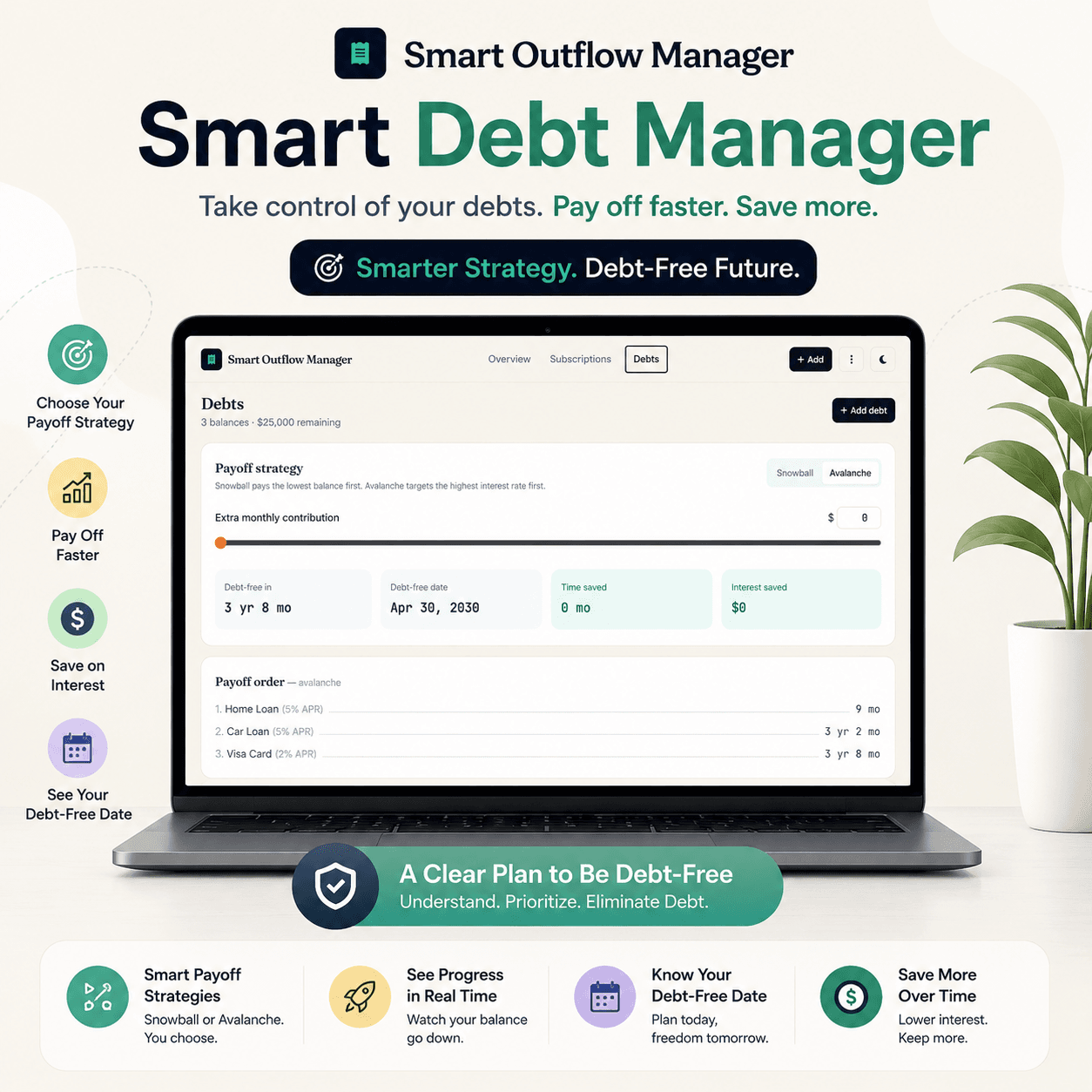
Smart Outflow Manager goes beyond subscriptions with a dedicated Debt Tracker. Use the Debts section to organize your outstanding financial obligations and monitor your debt repayment progress.
Debt Tracking Features
- Add and manage multiple debts
- Track debt balances
- Track interest rates
- Manage minimum payments
- Monitor debt information
- Compare debt repayment strategies
- Calculate repayment projections
- Set additional payment amounts
- Track estimated debt-free dates
The app also includes debt strategy functionality and additional-payment controls for repayment planning.
Snowball & Avalanche Debt Strategies
Smart Outflow Manager can help you compare common debt repayment approaches.
Debt Repayment Tools
- Choose a debt repayment strategy
- Adjust extra monthly payments
- Review projected repayment timing
- Estimate total interest
- View debt payoff progress
- Compare repayment order
This gives you a more structured way to approach multiple debts instead of simply keeping a list of balances.
💡 Complete Your Financial Toolkit:
While Smart Outflow Manager helps you track subscriptions and debt payments, manage your incoming freelance revenue, estimated taxes, and client invoicing seamlessly with our Freelancer Tax Calculator and Invoice Generator Tool.
Clean & Simple Financial Dashboard
Everything is presented through a clean dashboard designed to make important information easy to understand.
Dashboard Insights
- Monthly Outflow
- Annual Subscriptions
- Potential Savings
- Active Subscriptions
- Subscription Health Score
- Spending Analytics
- Smart Renewal Reminders
- Trial Tracker
- Upcoming Renewals
- Review & Potential Savings
The dashboard is designed around cards and focused sections so users can quickly see their most important recurring-finance information.
Backup, Import & Export
Keep control of your financial tracking data with built-in data management tools.
Data Management
- Export your data as a backup
- Import previously saved data
- Reset all stored data when needed
- Keep subscriptions and debts organized
- Restore your information from a previous backup
The existing Import, Export and Reset functionality is available through the app’s More menu.
[Click here & Read User Guidelines]
Privacy-Focused Local Data Storage
Smart Outflow Manager is designed to keep your financial tracking data stored locally in your browser rather than requiring an online account or cloud database.
This makes the app particularly suitable for users who prefer a simple, private, browser-based financial tracking experience.
Important: because the data is stored locally, users should regularly export a backup. Clearing browser storage or site data can remove locally stored information.
Why Choose Smart Outflow Manager?
Smart Outflow Manager brings several recurring-finance management tools together in one simple application.
You Can Use It To:
- Track subscriptions
- Monitor recurring expenses
- Track upcoming renewals
- Manage free trials
- Identify potential savings
- Analyze subscription spending
- Monitor subscription health
- Track debts
- Plan debt repayment
- Manage additional debt payments
- Estimate repayment timelines
- Backup and restore your data
- Manage your financial information locally
Take Control of Your Financial Outflow
Recurring subscriptions and debt payments can become difficult to manage when you don’t have a clear picture of what you owe and what you are paying for.
Smart Outflow Manager gives you a centralized way to monitor subscriptions, recurring expenses, renewals, trials, potential savings, and debts.
Whether you want to understand your monthly outflow, review upcoming renewals, identify subscriptions that deserve a second look, or organize your debt repayment strategy, Smart Outflow Manager provides the tools you need in one clean dashboard.
💰 Want to Take Your Budget Planning Further?
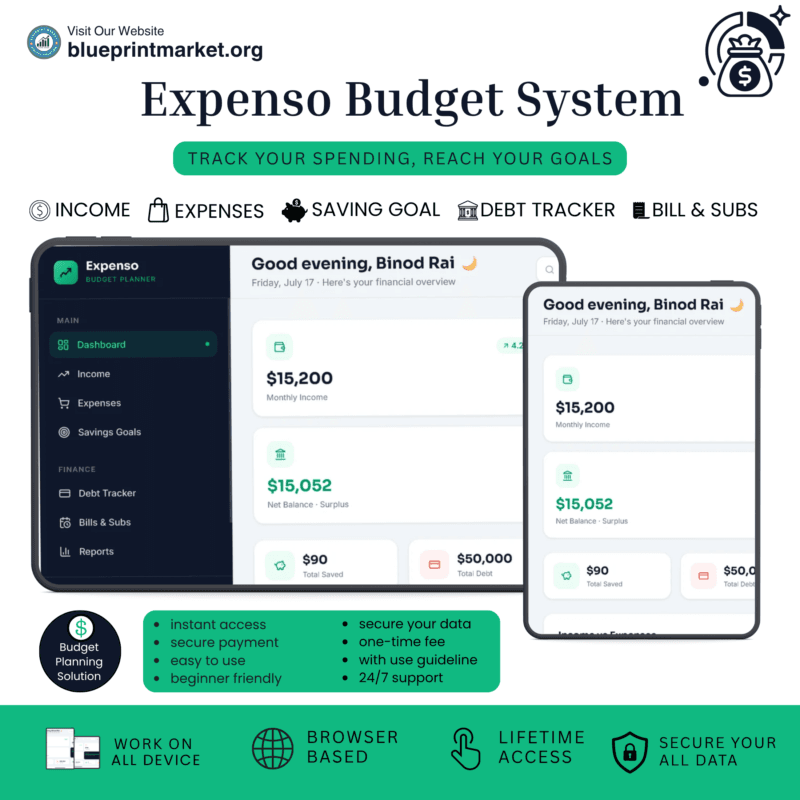
Need more than subscription and debt tracking? Take control of your monthly income and expenses with our powerful Expenso Budget Planner or keep your finances simple and organized with our Printable Budget Planner.
👉 Explore Our Expenso Budget Planner
👉 Get Our Printable Budget Planner
Start Tracking Smarter
Track your subscriptions. Monitor your debts. Review your recurring expenses. Find potential savings. Stay ahead of renewals.
Smart Outflow Manager: one simple dashboard for your recurring financial commitments.
License Terms:
1.STANDARD LICENSE (Personal Use Only)
Who can use this?
Individuals purchasing for their own personal organization and planning.
Allowed (What you CAN do):
- Use this planner for your own personal daily planning, organization, and life management.
- Download and install on your personal devices (Tablet, iPad, Phone, PC).
- Print unlimited copies for your personal use only.
Not Allowed (What you CANNOT do):
❌ Share, send, or email the original files or links to friends, family, or anyone else.
❌ Use this planner for any commercial, business, or client-related projects.
❌ Resell, sub-license, redistribute, or give away the original or edited files for free or paid.
2.COMMERCIAL LICENSE (Business & Client Projects)
Who can use this?
Freelancers, small business owners, agencies, and content creators.
Allowed (What you CAN do):
- Use this product for your business operations and internal workflow.
- Use this product to create completed end-projects for up to 50 Clients / Projects.
- Modify, customize, and brand the planner to fit your client’s needs.
Not Allowed (What you CANNOT do):
❌ Resell, share, or redistribute the planner files in their original editable format.
❌ Sell this product as a standalone planner on digital platforms (Etsy, website, marketplaces).
❌ Claim original ownership or copyright of the source files.
3. EXTENDED LICENSE (Unlimited Commercial & Resell Usage)
Who can use this?
Agencies, large businesses, and digital product sellers looking for maximum freedom.
Allowed (What you CAN do):
- Use this planner for unlimited personal, business, and client projects.
- Customize, re-brand, edit, and combine this product with other elements.
- Sell the modified final product (End Product) to end-users on your website or online store.
Not Allowed (What you CANNOT do):
❌ Resell or distribute the source files as-is without making significant additions or modifications.
❌ Trademark or copyright the original design elements provided in this pack.
Frequently Asked Questions
What is Smart Outflow Manager?
What can I track with Smart Outflow Manager?
Can Smart Outflow Manager remind me about subscription renewals and free trials?
Can Smart Outflow Manager help me find potential savings?
Can I use Smart Outflow Manager to track and plan debt repayment?
Is my financial data stored privately in Smart Outflow Manager?
📌 Important Guide: Data Safety & Cross-Device Syncing
Our web planners use your browser’s Local Storage to keep your daily entries fast, responsive, and completely private without requiring any accounts or passwords.
⚠️ Key Points to Remember:
- No Auto-Sync: Data saved on your mobile browser will not automatically sync to your computer/laptop.
- Cache Clearance Alert: Clearing browser history, cookies, or site cache will permanently erase your saved progress. Always export/download a backup of your data BEFORE clearing your browser cache or history!
- Incognito Mode: Avoid using private/incognito windows if you want to store progress long-term.
📱 How to Transfer Data from Mobile to Computer (or vice versa):
- Export: Open the planner on your phone, click “Export Data” (or Backup) to download you. Json backup file.
- Transfer: Send this downloaded file to your computer via Email, WhatsApp, or Google Drive.
- Import: Open the planner on your desktop browser, click “Import Data”, choose the file, and your entries will restore instantly.
💡 Tip: Make it a habit to export regular backups using the built-in feature to keep your progress safe at all times.
Related Products:
- Expenso: Budget Planner Web App for Personal Finance
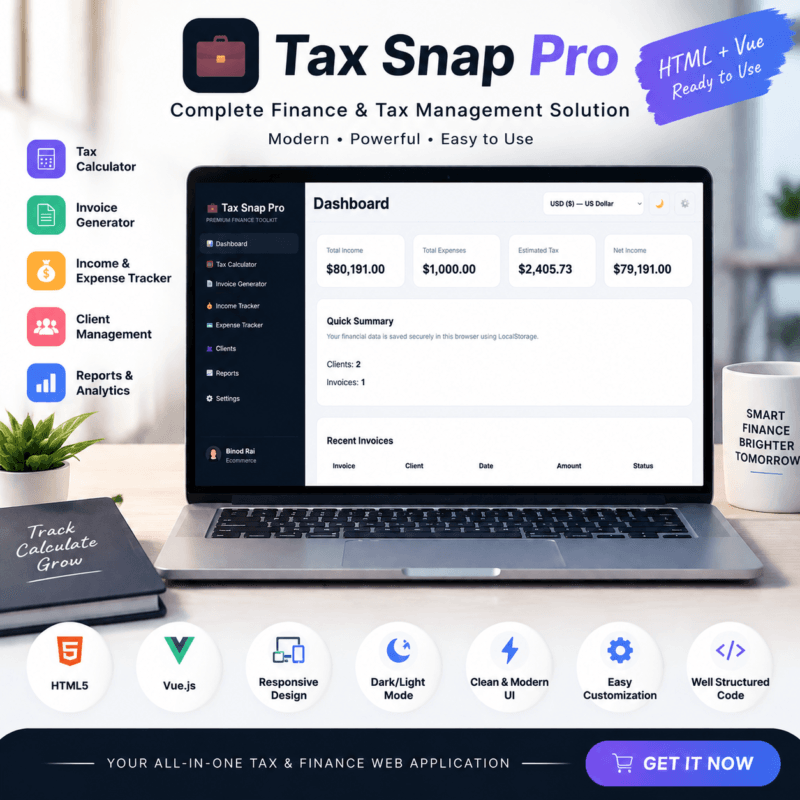
- Freelancer Tax Calculator & Invoice Generator Tool | Tax Snap Pro
✔ Verified Internal Resource



Reviews
There are no reviews yet.